


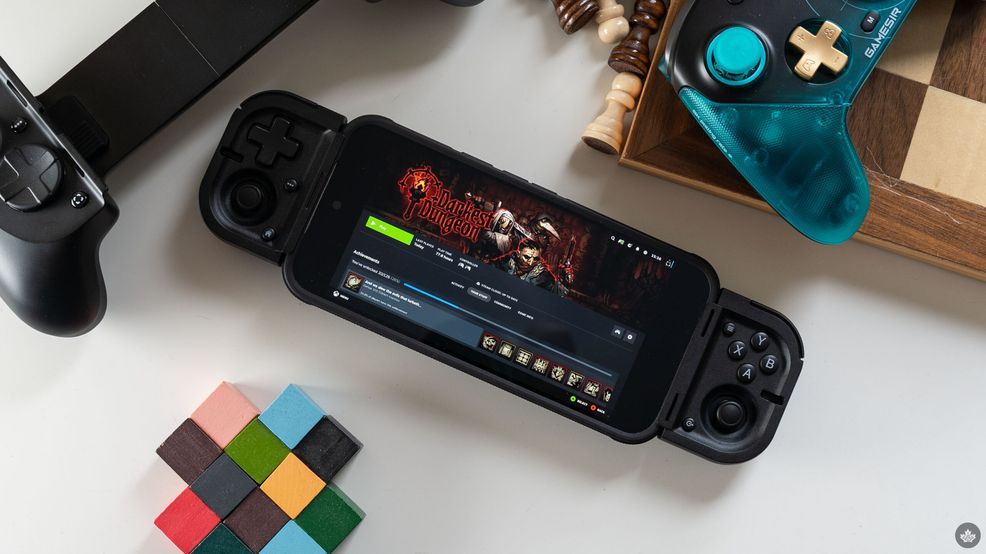
Gaming accessory maker Razer has a number of excellent mobile controllers on the market now, but the company’s latest controller is all about portability. And while it truly shines in that respect, Razer made a few trade-offs to make it happen. But whether those matter for you ultimately comes down to how you like to game on the go, and what you like to play.
The new Razer Prio is the ultimate ultra-compact mobile controller. It folds up super small — about the length and width of a credit card, though much thicker — while still offering a full suite of controls. It’s got right and left thumbsticks, a D-pad, face and shoulder buttons, and other standards like menu and home buttons.
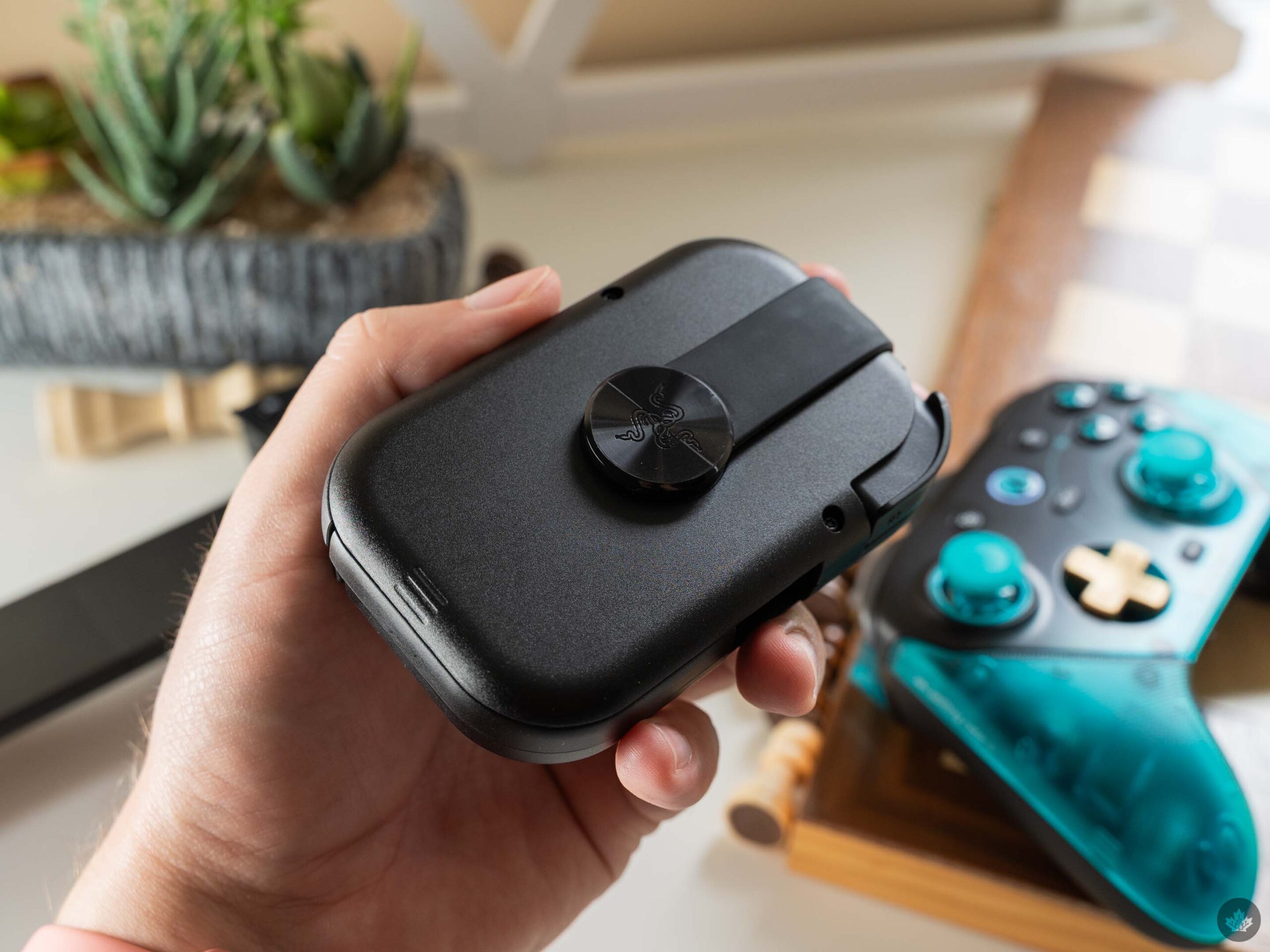
Razer Prio folded up.
Smartly, Razer even made the buttons quiet. While you don’t get the oh-so-satisfying click sound out of the Prio, it also means it’s less noisy for people around you. That helps with the play-anywhere nature of the controller, since you won’t annoy people while you game.
It’s an all-around fantastic design for gaming on the go. The small size when folded up makes it super easy to slip in a backpack or purse, and the quiet buttons mean you can actually play anywhere. Plus, it works with most Androids and iPhones, as long as they’ve got a USB-C port and aren’t too long (it maxes out at 188mm). Razer also said it made the Prio compatible with most phone cases, but it won’t work with anything thicker than 15mm.
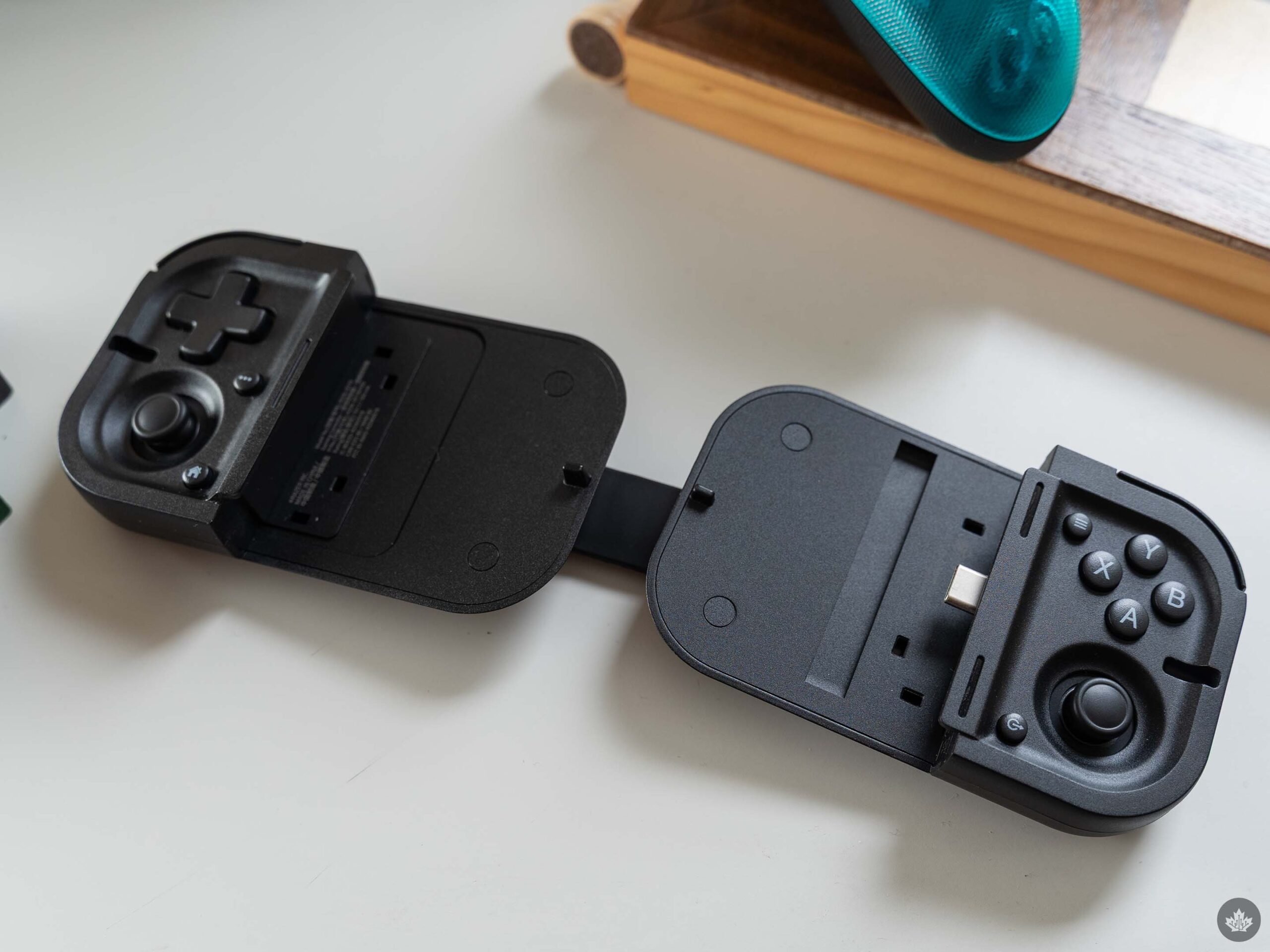
Moreover, phones are a surprisingly versatile gaming platform. Along with tons of mobile games out there, gamers can also access various titles from other platforms via various streaming tools, whether that’s streaming from a local PC or console, or cloud-based gaming through something like Xbox Game Pass.
And while I really like the Prio, unfortunately, that’s where my praise for the controller ends. See, the biggest issue I ran into with the Prio is that it’s just not very comfortable for gaming, though it varies depending on what you play.
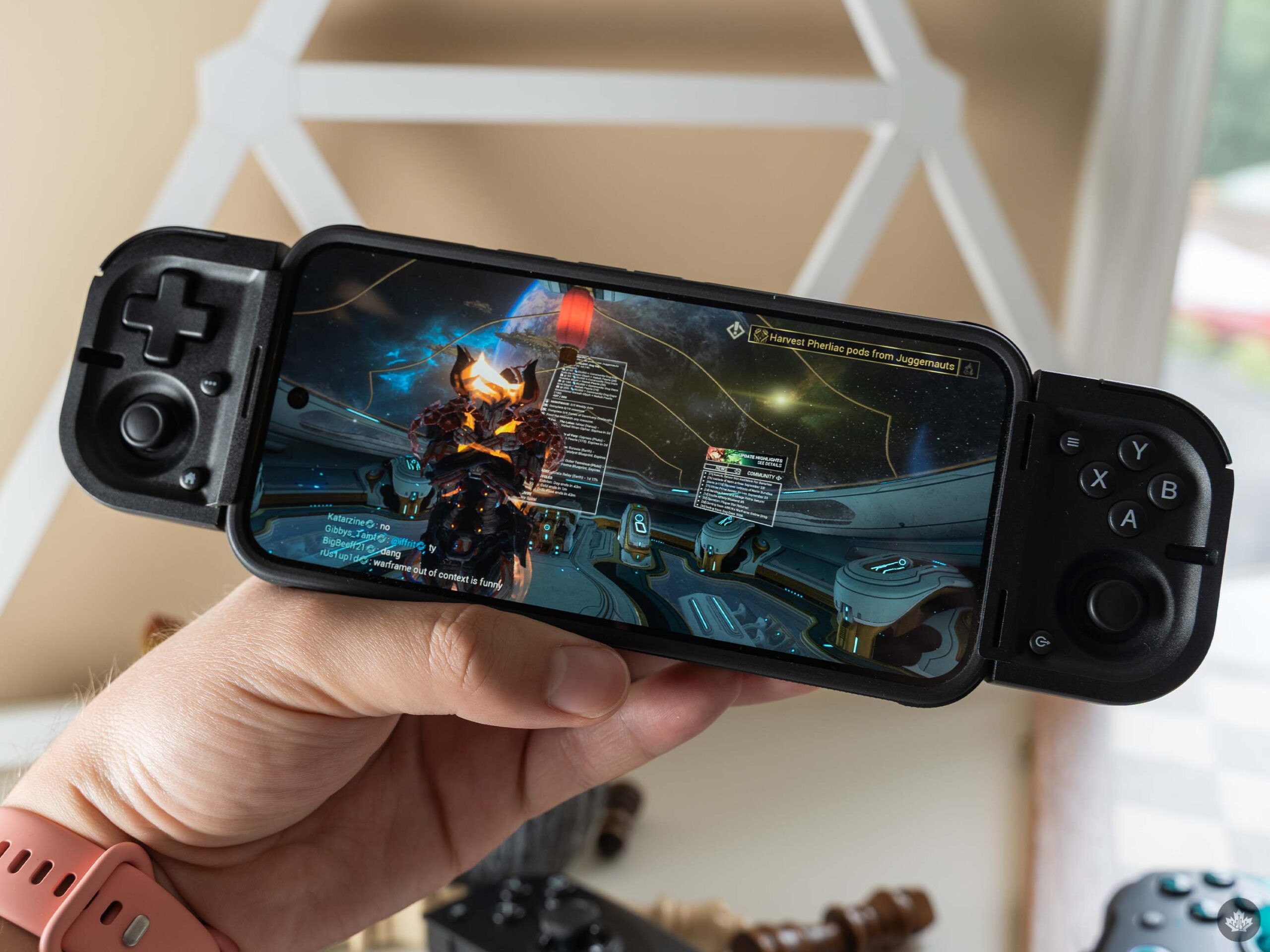
Warframe’s Android port running on a phone with the Razer Prio.
For example, I tried playing the Android port of the excellent, Canadian-made Warframe, and while it was playable, I did not have a great time. If you’ve played Warframe at all, you know it’s a very fast-paced game with a lot of actions and inputs. I already find it tough to keep up on a normal controller, but the cramped controls on the Prio make it even worse.
Of course, that won’t be true for every game. Slower-paced titles, such as Darkest Dungeon, felt great on the Prio. I’d imagine most puzzle and platform games with controller support will also work pretty well. It’s mostly those fast-paced action titles, especially ones requiring lots of inputs, that will suffer on the Prio.
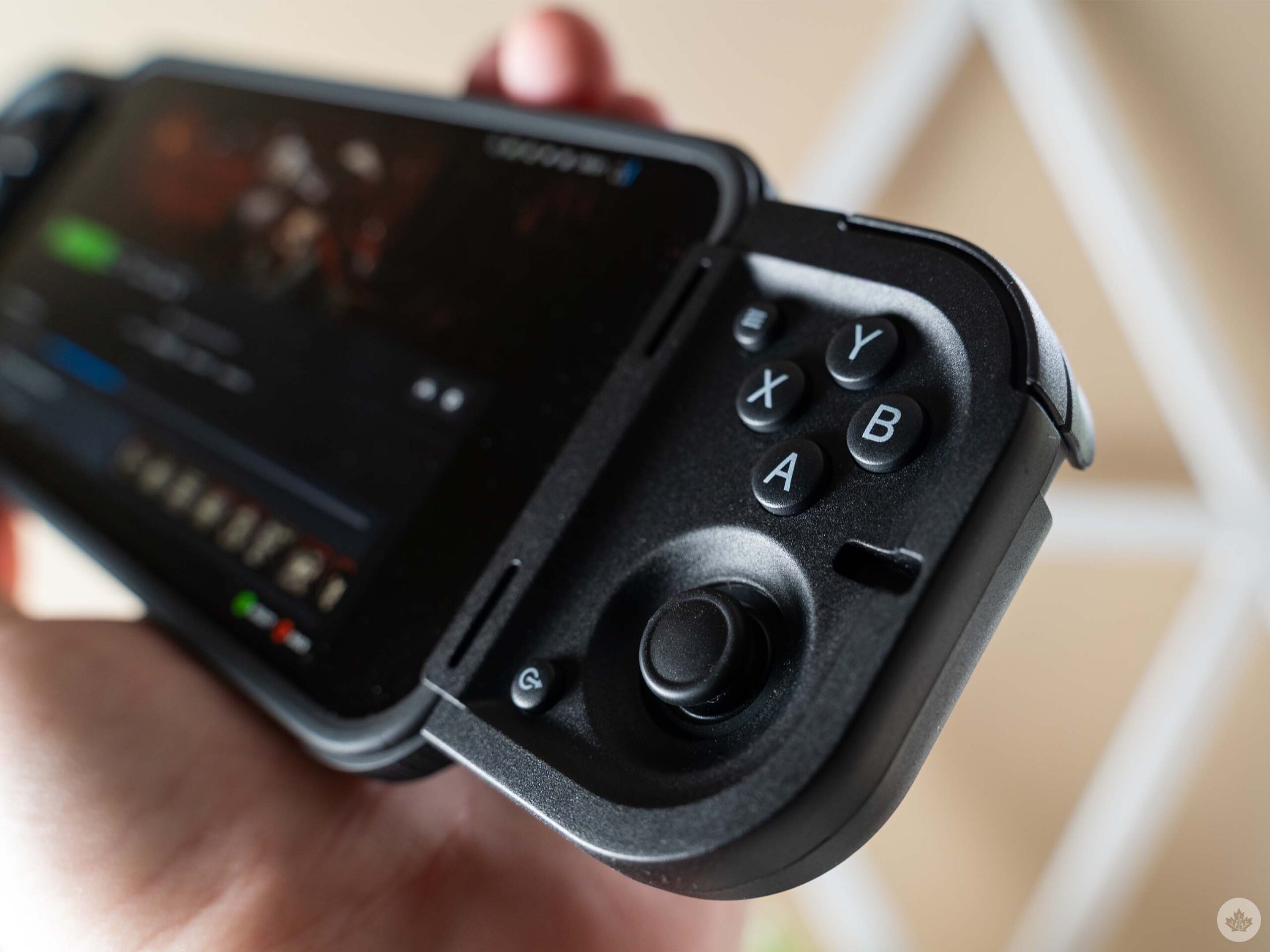
Ultimately, if comfort and ergonomics are a concern, Razer’s other controllers might be more appealing. The Kishi line, for example, offers a much more ergonomic feel that’s just like a typical console controller. They also cost a lot more.
Gameplay aside, I found the Prio setup to be quite finicky. Most phone controllers have a sliding back piece that extends to allow the controller to grip the phone.
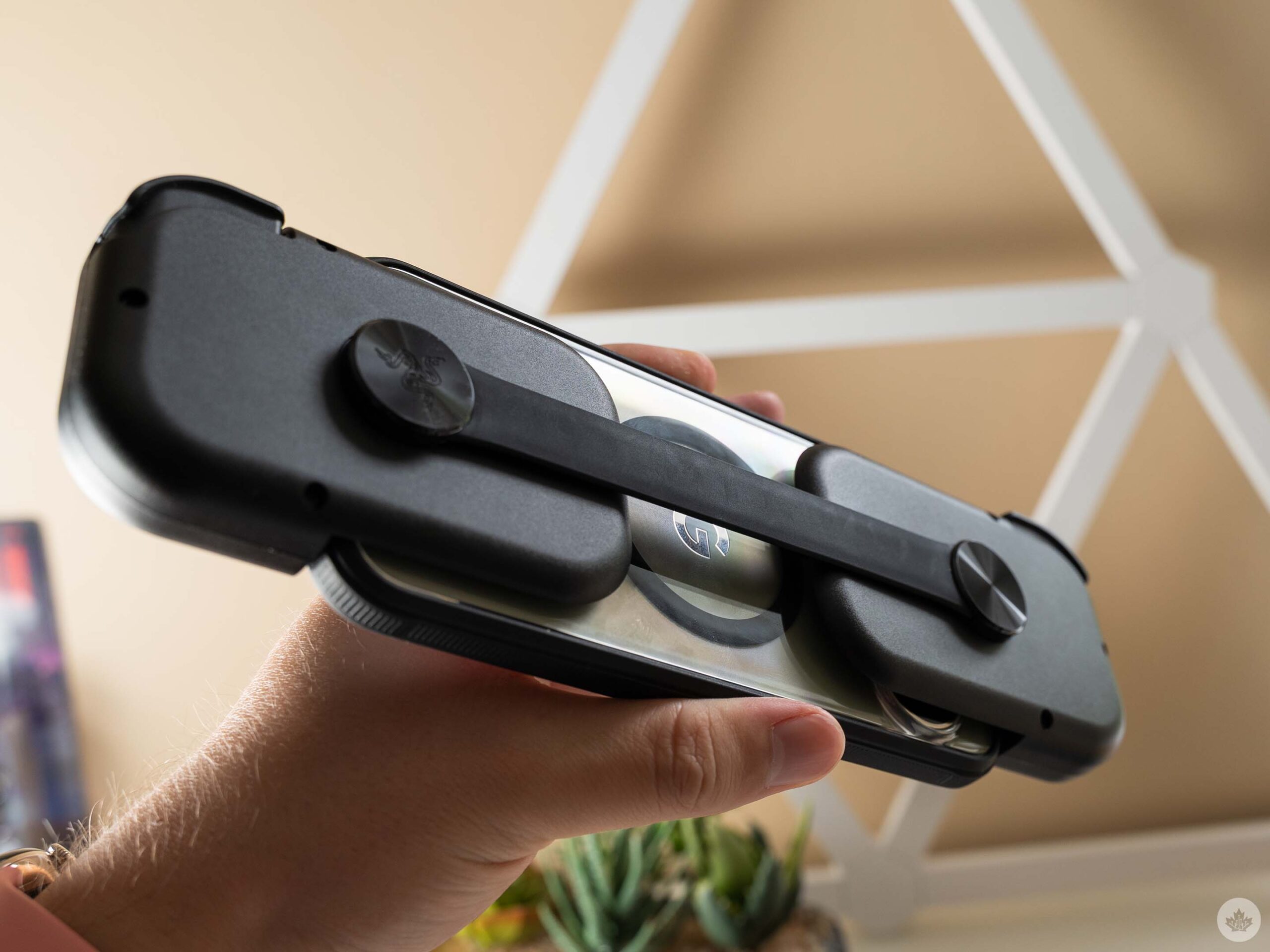
Razer Prio seen from the back.
The Prio ditches that for an elastic band which, functionally, gets the job done. However, it sacrifices some of the rigidity you’d get on other controllers.
The Prio also comes with a set of rubber inserts that adapt the controller’s fit to work with different phones and camera bump sizes. However, the included instruction book only mentioned which inserts were compatible with iPhones, so I had to trial-and-error it to figure out what was best for my Pixel. Notably, if you use a case, you can probably skip the rubber inserts entirely.
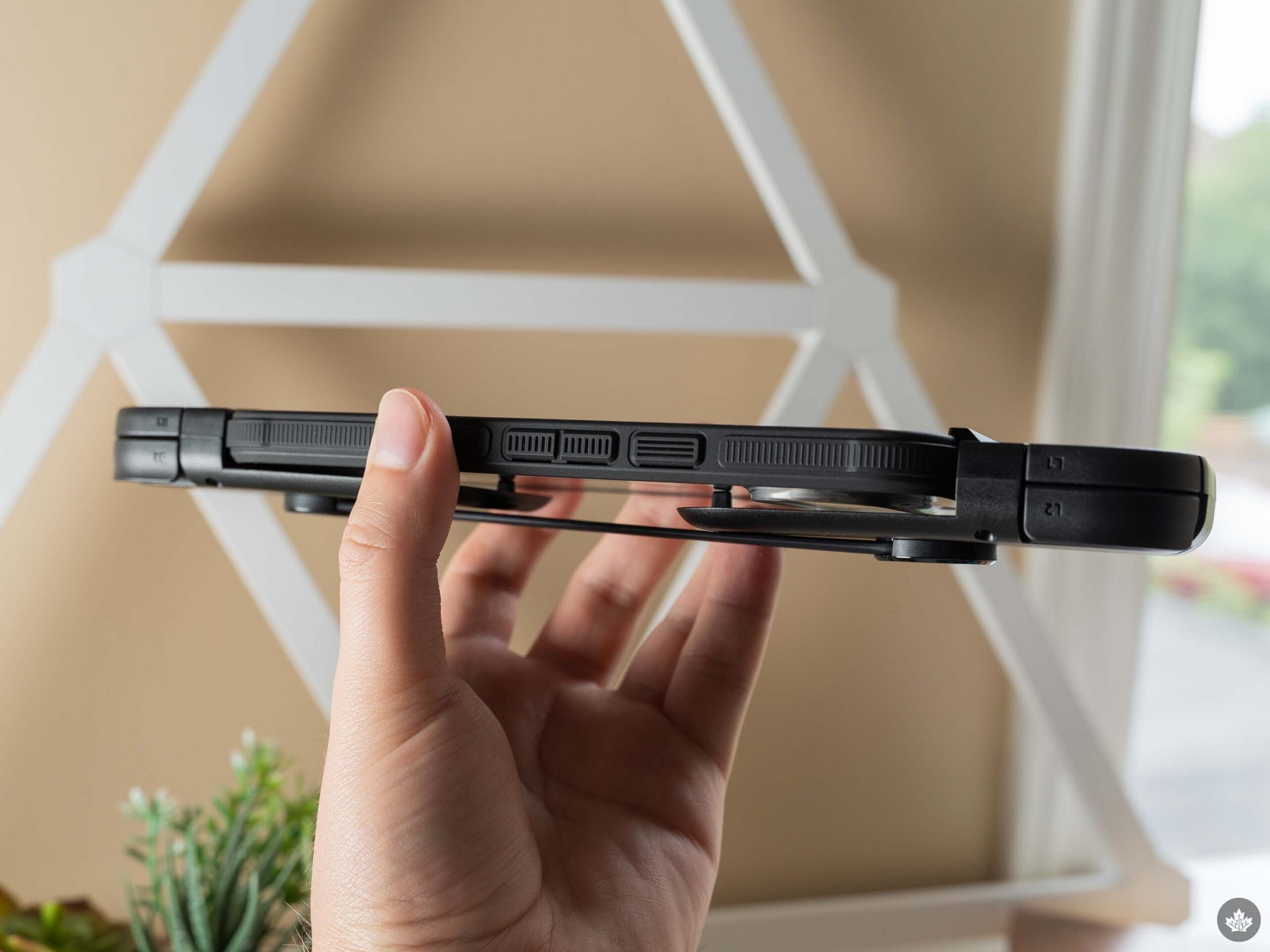
Finally, I have some concerns about wear and tear on the elastic band itself. Razer told me they did lots of durability testing to ensure it could handle tons of stretching and still return to its original shape. But even in my short time with it, there already seems to be some slight warping of the band.
All these pieces taken together certainly degrade the Prio experience, but I still think it does a great job with its core promise of portable gaming. There aren’t many phone controllers that can fold up as small as the Prio, making it the king of portability.
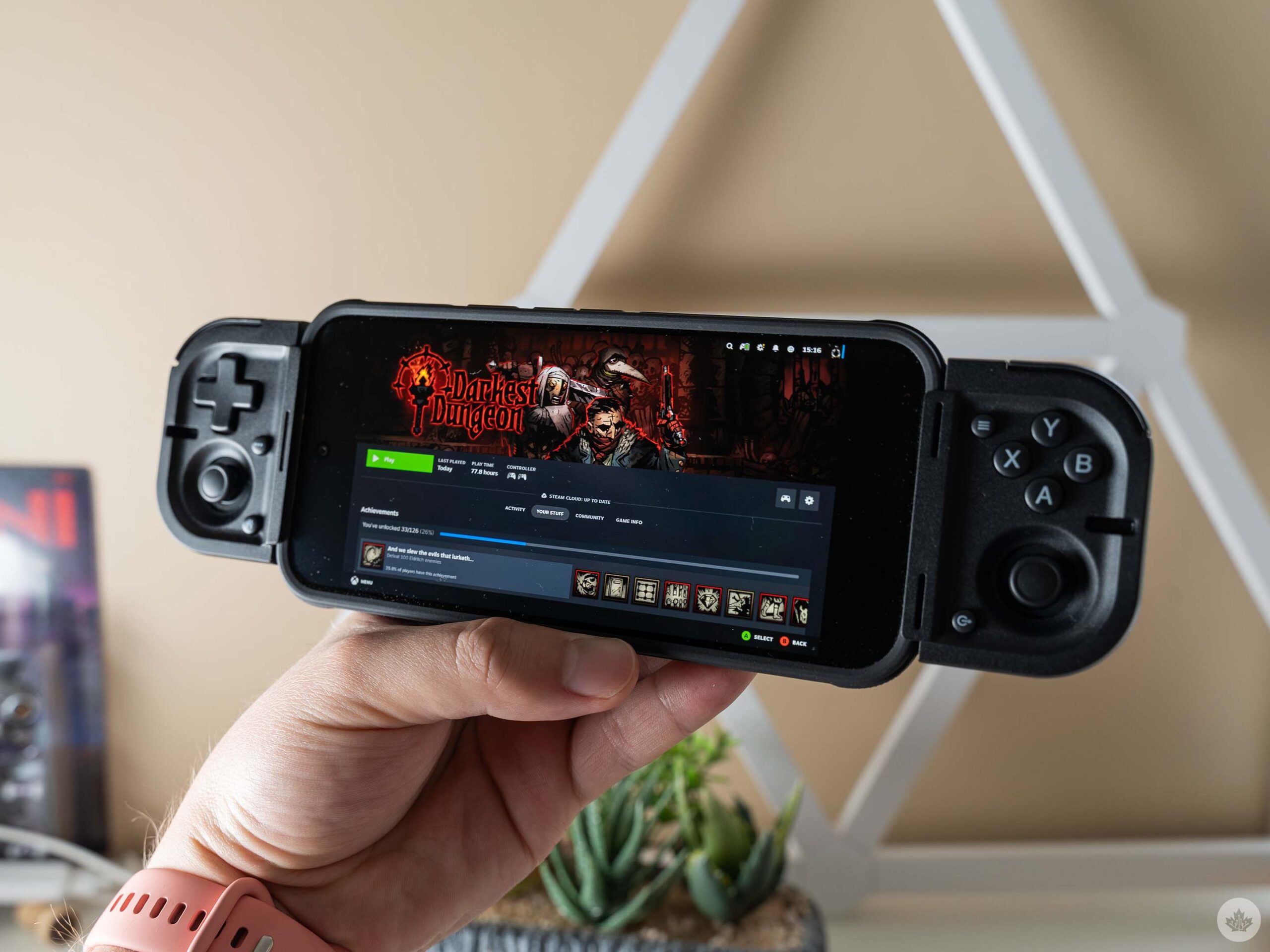
Unfortunately, how good the controller is will depend a lot on what you want to play. I struggled using the Prio in the games I like, but there are plenty of titles that I think would work a lot better for a controller like this. It’s worth keeping in mind when considering whether to buy the Prio.
The Razer Prio costs $139.99 in Canada and is available on Razer’s website.
 Reviews
  Reviews
  Reviews
  Reviews