


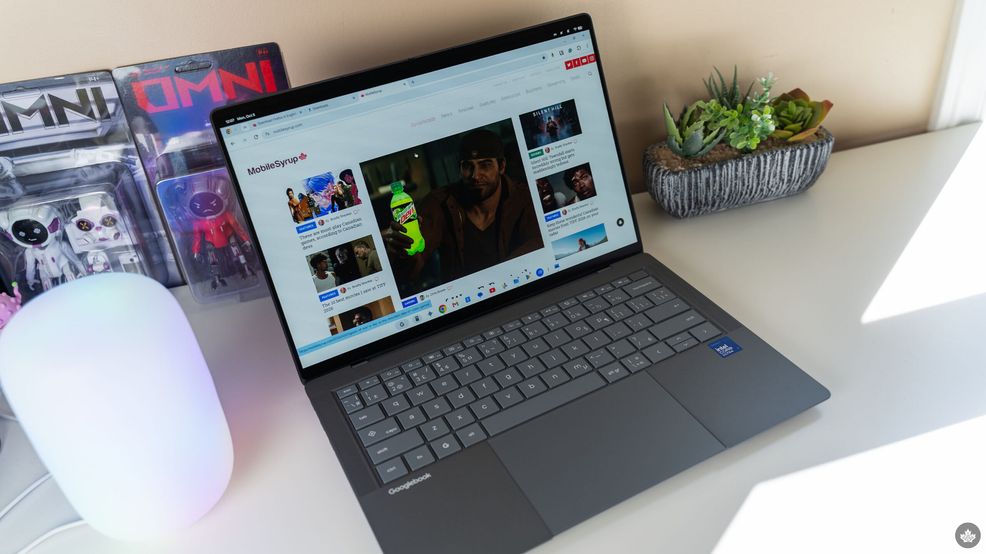
Asus has launched its Googlebook 14 laptop in Canada, available now starting at $1,799.
The new laptop is one of several Googlebook devices, which run the poorly named GooglebookOS, a strange amalgamation of Android and ChromeOS boasting a bunch of ‘smart’ Gemini features.
I’ve got my hands on one of Asus’ Googlebook 14 laptops and will be testing it for a full review, but my initial impressions are mixed.
Great hardware from Asus
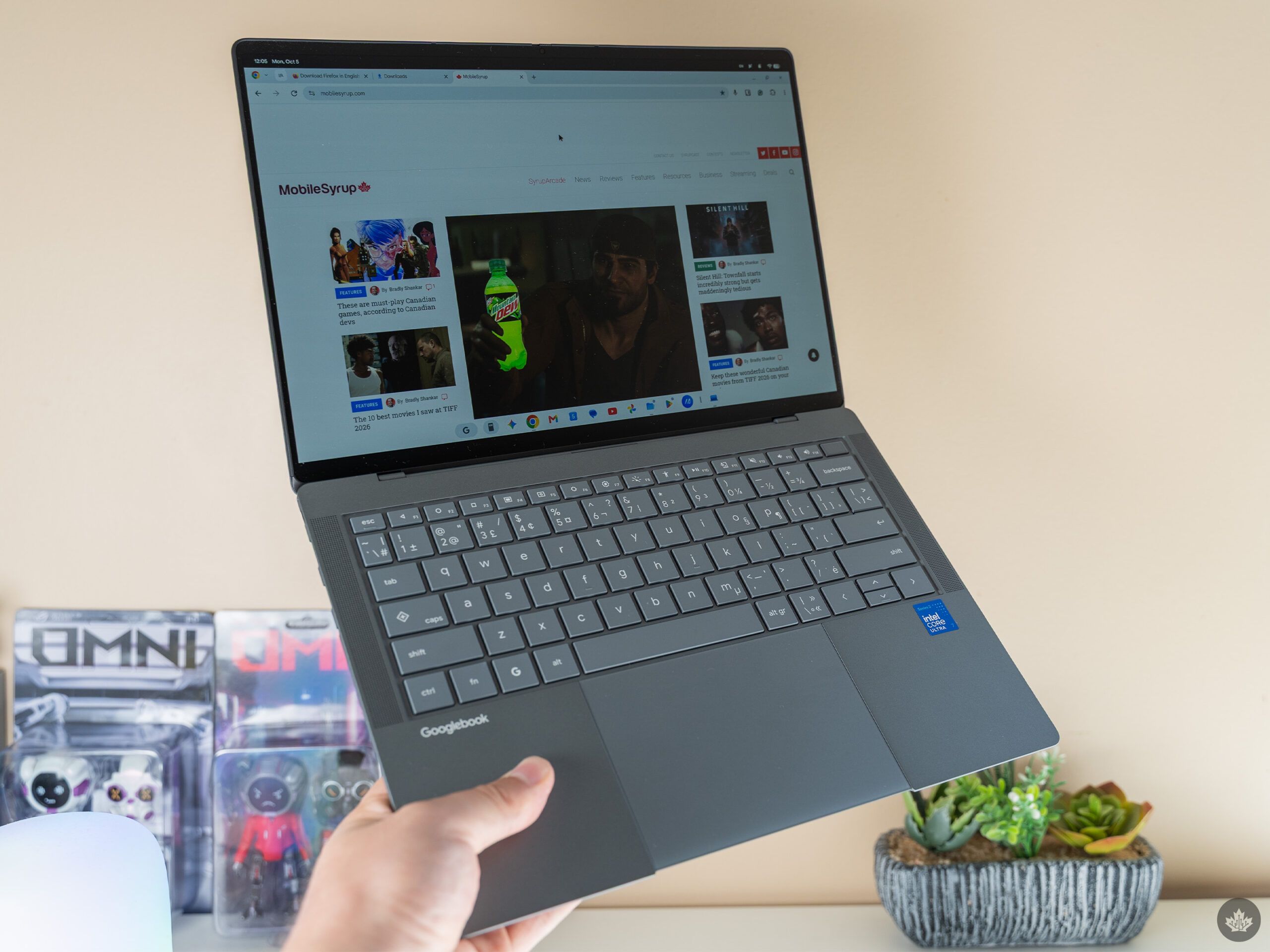
Let’s start with the good: the hardware looks and feels excellent. Asus made a really great laptop here. It features a ‘nano ceramic’ magnesium-aluminum chassis that feels really cool; it reminds me a bit of the OnePlus sandstone material with a bit of texture while not being overly grippy. The Googlebook 14 is also impressively thin and weighs in at 0.99kg (2.18lb).
Asus equipped the Googlebook 14 with a 14-inch, 3K 120Hz OLED touchscreen and a six-speaker audio setup. It also has a six-sensor haptic touchpad that works well in my initial testing. Powering it all are Intel Core Ultra 5 or 7 Series 3 chips, up to 16GB of RAM, and up to a 512GB SSD.
While there’s plenty of power under the hood and the hardware is quite premium, the laptop isn’t perfect. I haven’t spent a ton of time using it yet — pretty much just long enough to set up the laptop and poke around GooglebookOS — but so far, I don’t love what I’m seeing on the software side.
The app problem
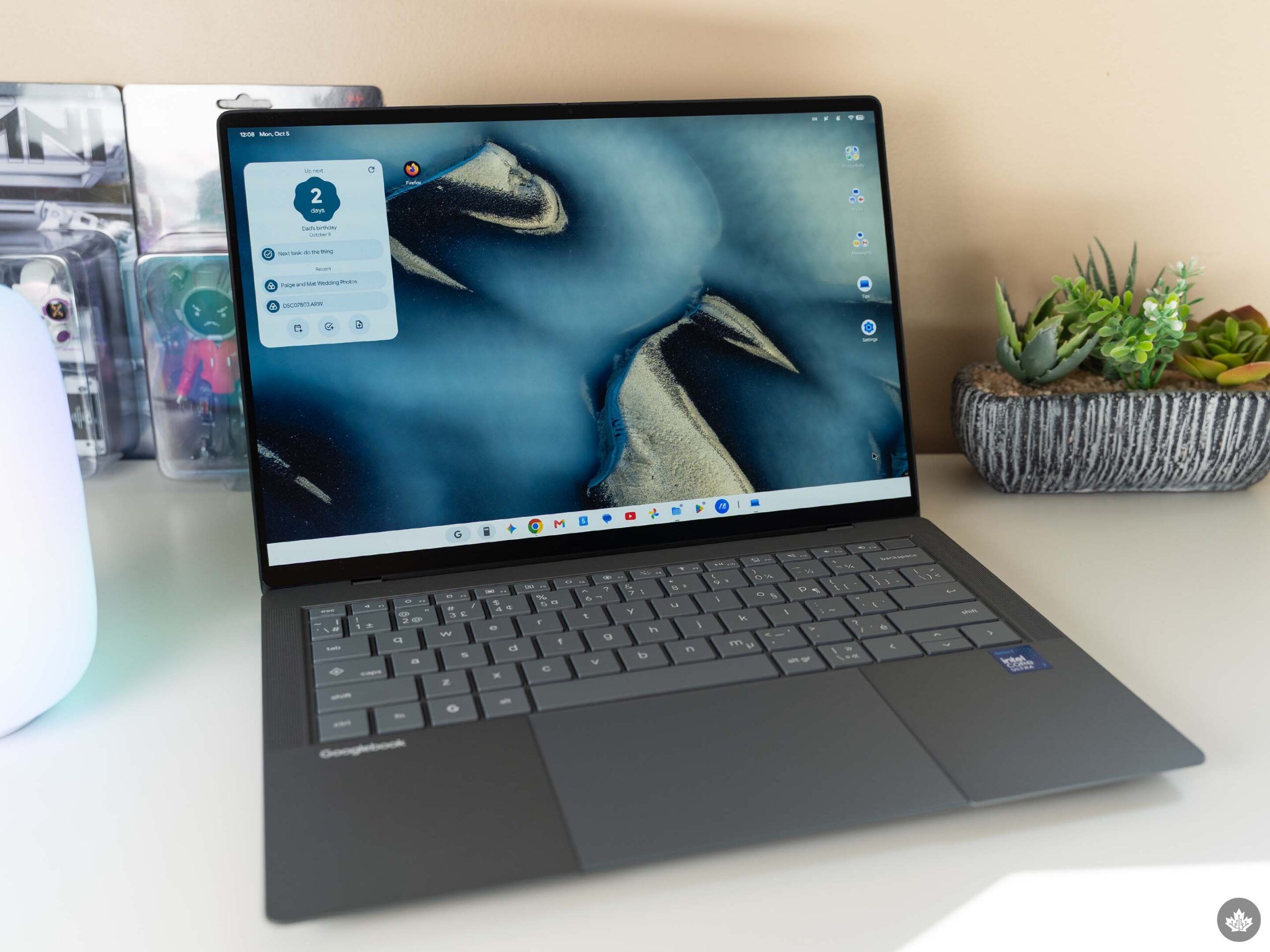
Everything looks and feels like ChromeOS, which isn’t necessarily a bad thing (I actually really like how ChromeOS looks!). Frankly, it’s expected, given Google basically ripped the desktop and windowing features out of ChromeOS and layered them on top of Android for GooglebookOS.
However, when I attempted to install some apps that I need for work, things started going off the rails. For one, I’d rather not use Chrome (crazy, I know!) and my browser of choice is Firefox because of some features and extensions that are only available on it, like Container Tabs.
While I could install the Android version of Firefox without issue, what I really want is the desktop version. Theoretically, I should be able to, since there’s a Linux version of Firefox, but so far every attempt I’ve made to install it has failed. There might be something that I’m missing here — it’s my first time using GooglebookOS after all — so here’s hoping I can figure it out.
Similarly, the only version of Photoshop available is the Android version. Unfortunately, Adobe doesn’t make a Linux version of Photoshop, so I’ll need to see if the mobile version can handle my needs.
Headline features have issues
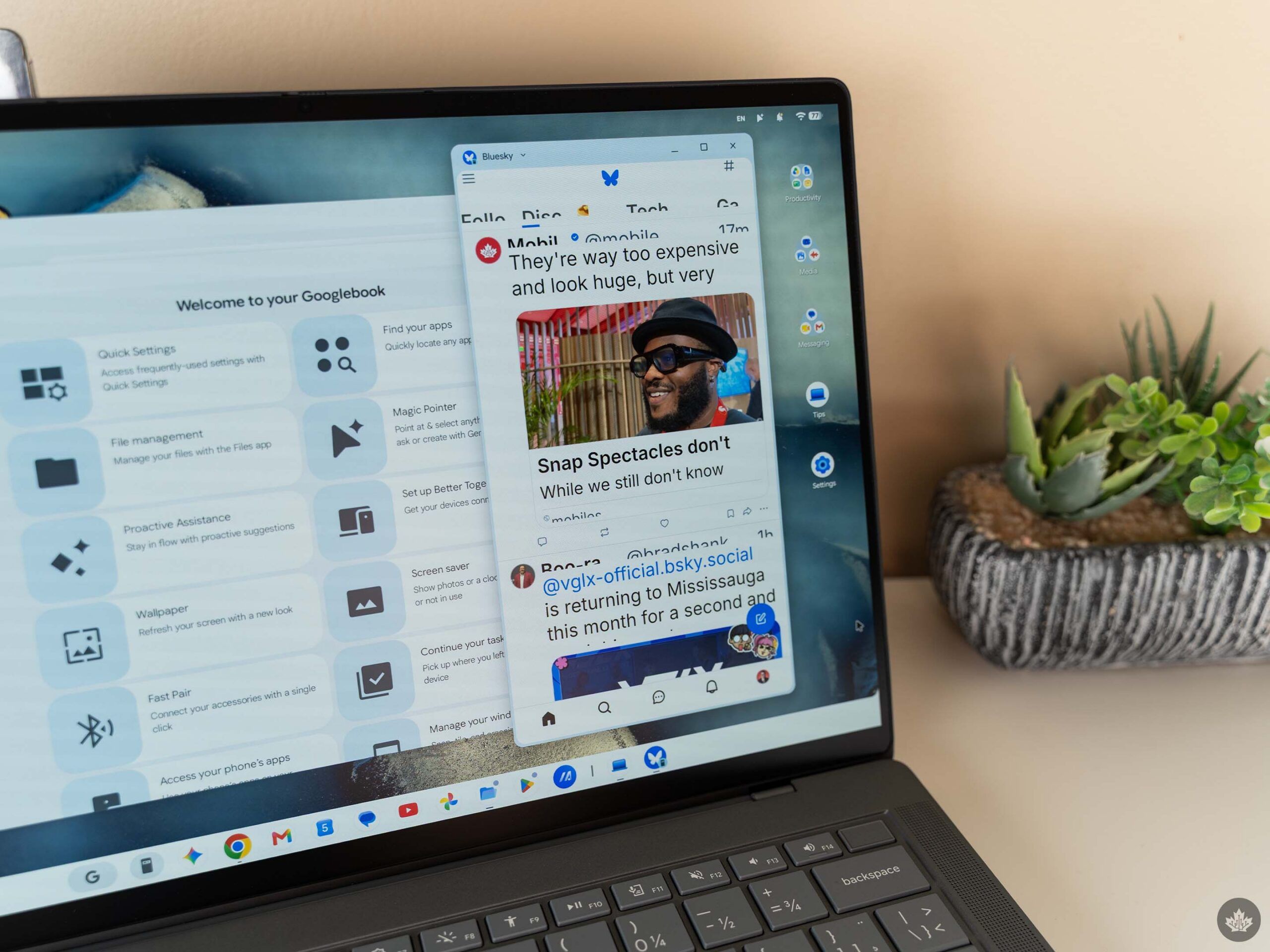
Several apps I tried to mirror from my phone to GooglebookOS have major text issues like this.
Third-party apps aside, I also attempted to use some of the new connected and smart Gemini features, to mixed success. The much hyped app mirroring feature barely functions. Most of the apps I tested had text rendering issues that made them impossible to use. However, most of the Google apps I tried looked fine, so it might just be that developers will need to add support for the feature. Regardless, there was a noticeable amount of latency that made using the feature unappealing.
The ability to wiggle your cursor to summon Gemini does work, once you jump through the hoops required to turn it on. But I’ll need to spend more time with it to judge its usefulness. For the moment, the only thing I’ve used it for was highlighting a button in GooglebookOS that I wasn’t familiar with and asking Gemini what it was, only for the AI to make up an answer that was very obviously wrong.
All this is to say, I have very mixed feelings about GooglebookOS. I’m sure a lot of this is just getting used to a new operating system, and likely some teething issues for Google as well. I expect GooglebookOS will improve, especially since being Android at the core means Google can develop for both mobile and desktop simultaneously, which could yield some cool interactions down the line.
At the same time, I expected staple features like app mirroring to work a lot better out of the box. If these unique capabilities don’t work well, there’s not much to entice customers away from macOS or Windows. Especially since, at least in the desktop app space, Googlebooks are starting well behind the competition.
At least it looks like Google will let users unlock the bootloader, which means if GooglebookOS doesn’t cut it for you, you can run something else on it instead.
Where to buy in Canada
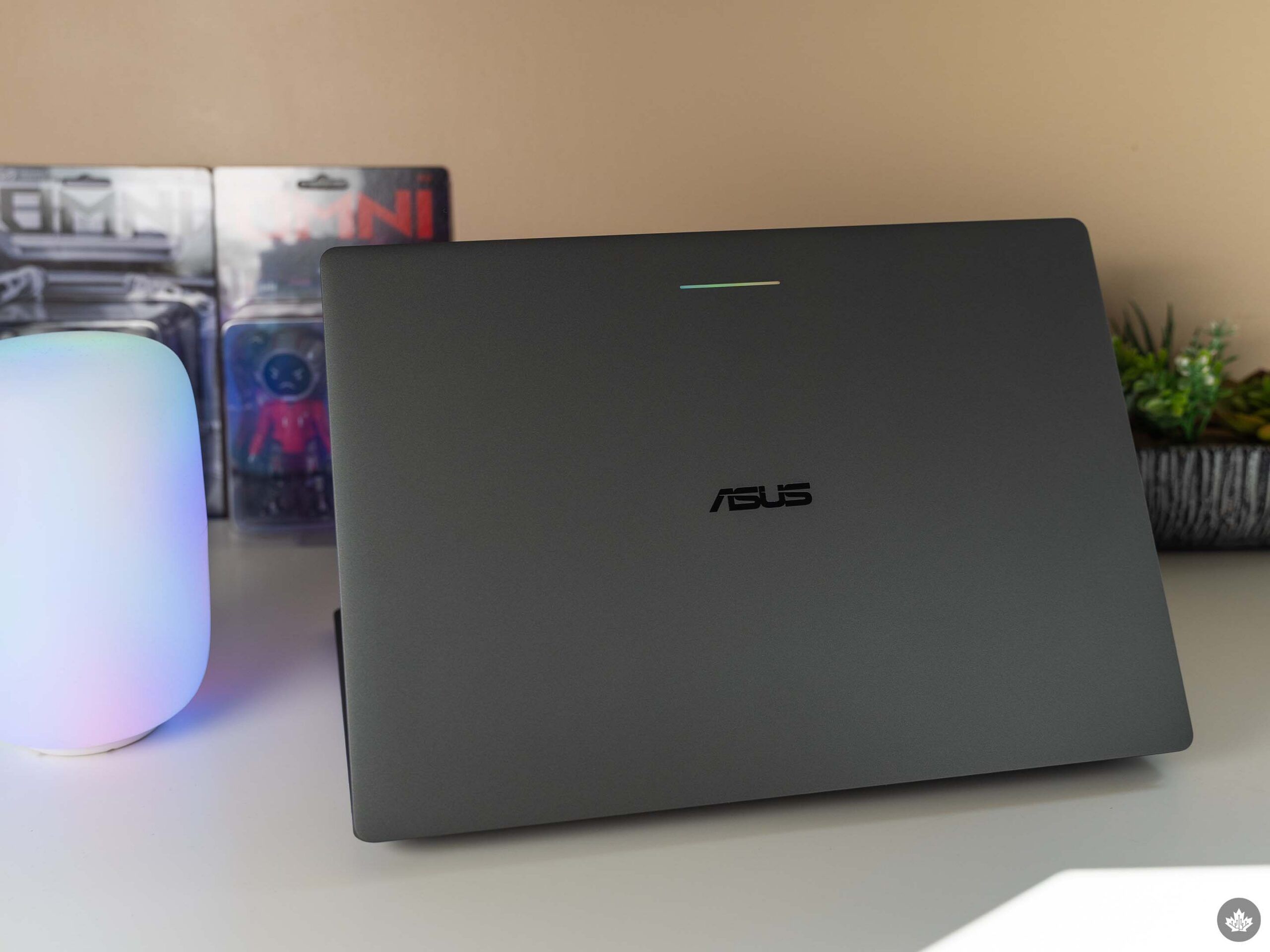
If you like to take a risk on a whole new product line like this, the Asus Googlebook 14 is available now directly from Asus as well as from Amazon, Best Buy, Canada Computers, Costco, and Staples.
Plus, there are a number of launch incentives available to take advantage of if you do pick one up, including:
- Best Buy: choose between Pixel Buds 2a ($180 value) or $280 off Google Pixel 9a with purchase (until Oct. 31).
- Asus store: get a one-year warranty extension, an Asus backpack, and an Asus Marshmallow mouse (combined $170 value) with purchase (until Dec. 31).
- Get a $150 gift card/promo code with purchase at Staples and Amazon (until Dec. 31).
- Get a $165 gift card with purchase at Costco.
- Get a Logitech MX Master 4 mouse ($160 value) with purchase at Canada Computers.
Stay tuned to MobileSyrup for a full review of the Googlebook 14 and GooglebookOS in general. And if you’ve got any questions about Googlebooks, drop ’em below, and I’ll answer them.
 News
News  News
News  News
News  News
News 