


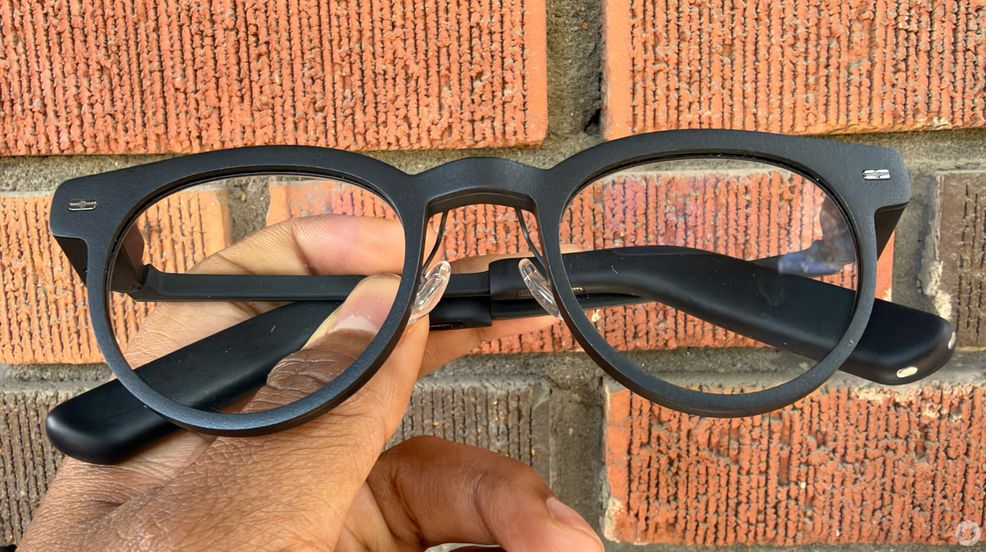
Camera-less AI wearables might sound like a weird compromise at first, but after spending some time with the MemoMind One, I get what the company is going for.
I’ve been testing these smart glasses out recently, and they offer a pretty intriguing alternative to display-less wearables like my Ray-Ban Meta Gen 2s.
The Metas are currently my primary everyday frames because they hold my prescription, but whenever people notice them on my face, I almost always get hit with the same question: “Are you recording me?”
Even after I explain how the front LED indicates when a photo or video is being captured, people are still wary. Between concerns over people tampering with indicator lights and general unease about raw footage being reviewed for AI training, smart glasses in public remain a massive social friction point.
Ditching the camera
That’s where MemoMind One come in with a refreshingly different approach. By completely ditching the camera, the MemoMind One delivers a heads-up AI experience without making anyone around you feel like they’re being surveilled. It’s built specifically for public spaces, aiming to quietly support your daily routine without causing awkward social interactions — especially in the bathroom.
Overall, I’ve really enjoyed my time with the MemoMind One. Unlike smart glasses that force you to strain your vision on a single monocular HUD—a setup that can get tiring fast, I’ve been told—the MemoMind One packs dual micro-LED displays. Having information projected naturally in front of both eyes makes reading prompts significantly more comfortable. The panels top out at an impressive 2,000 nits of peak brightness, meaning text and UI elements remain perfectly crisp even under direct sunlight.
Hardware adjustability is another area where MemoMind really shines. You can fine-tune the display’s focal distance, height, and depth directly on the frames. I’ve used smart glasses before that don’t let you make these adjustments; this, on the other hand, makes it much easier to line up the optics with your natural field of view.
Blending in

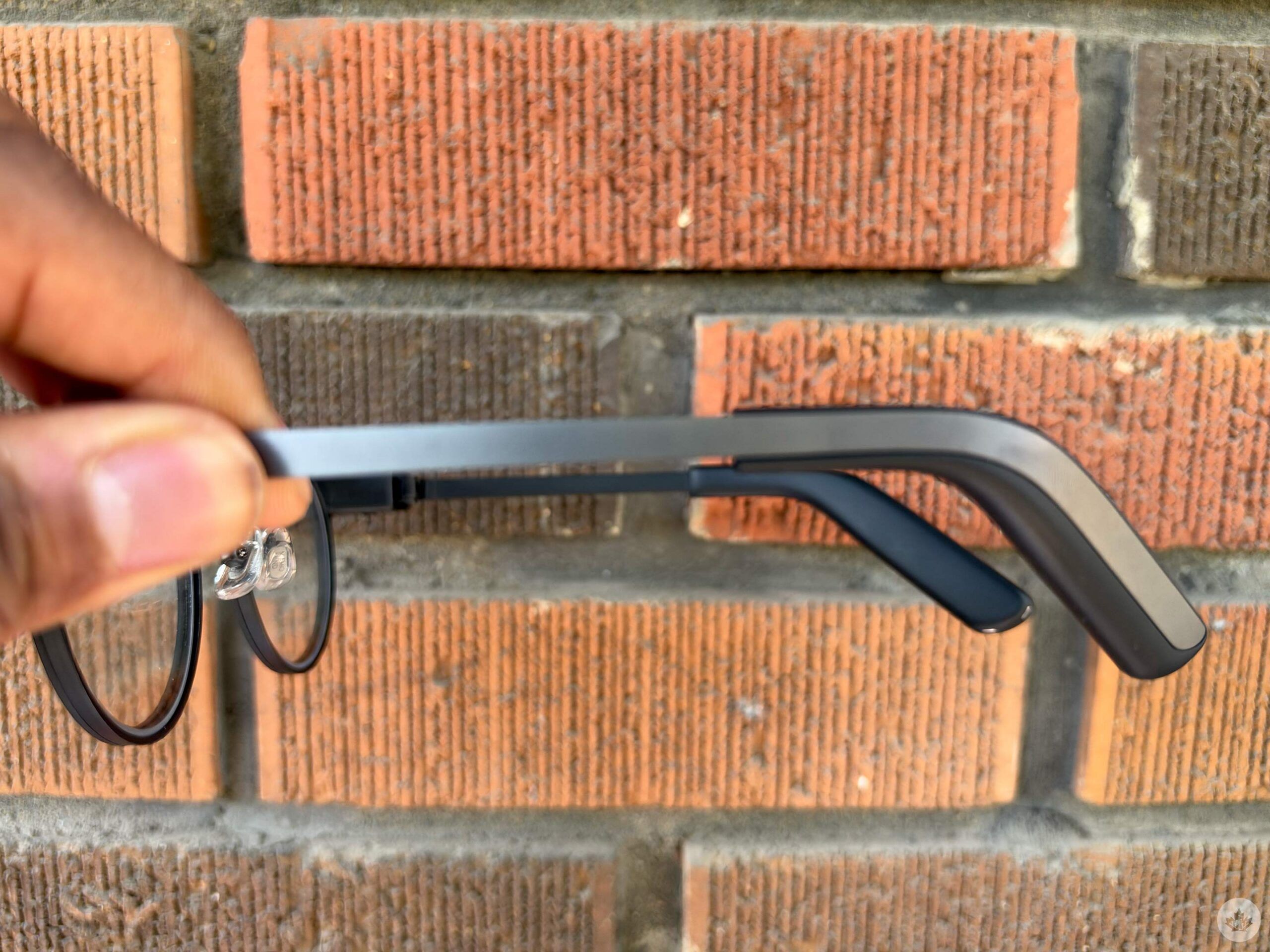
Design-wise, MemoMind mostly nailed the look and feel. While the temple tips are on the chunkier side to house the internal hardware, the rest of the frame looks and wears like standard designer glasses. MemoMind offers various classic silhouettes including Nomad, Gotham, and Archive styles across round and square shapes, plus optional magnetic sunglasses clip-ons. At just 46.6g, they feel remarkably light on the face, undercutting the Ray-Ban Meta Gen 2s, which start around 51g.
Audio performance is surprisingly solid as well. The open-ear stereo speakers built into the temples are custom-tuned with Harman technology and paired with a triple-microphone array. Callers had no trouble hearing me during tests, and music playback sounds rich and clear for an open-ear setup. Just keep in mind that at higher volume levels in quiet environments, nearby colleagues will likely catch some audio leakage.
On the software side, the HUD feature works well. The main dashboard surfaces turn-by-turn navigation, calendar alerts, stock tickers, and incoming notifications, all of which can be summoned with a quick upward head gesture mapped during initial setup.
Real-time translation works remarkably well. While testing it with my partner, who speaks Spanish, his incoming dialogue appeared as text right in my field of view, allowing me to follow the conversation seamlessly—though keep in mind you can’t use the glasses to translate your own voice back out loud.
The smart glasses also have this Convers AI feature that’s pretty neat; during conversations with friends, the AI pushes contextual answers straight to your vision. My partner loves talking about Mexican history, and the smart glasses were able to fill me in. You can also just ask Memo (the AI) to set reminders, see what you have on your calendar and more. And funny enough, since people don’t always know you’re using these smart glasses, I would have really cleaned up at a trivia night.
Solid camera-free option
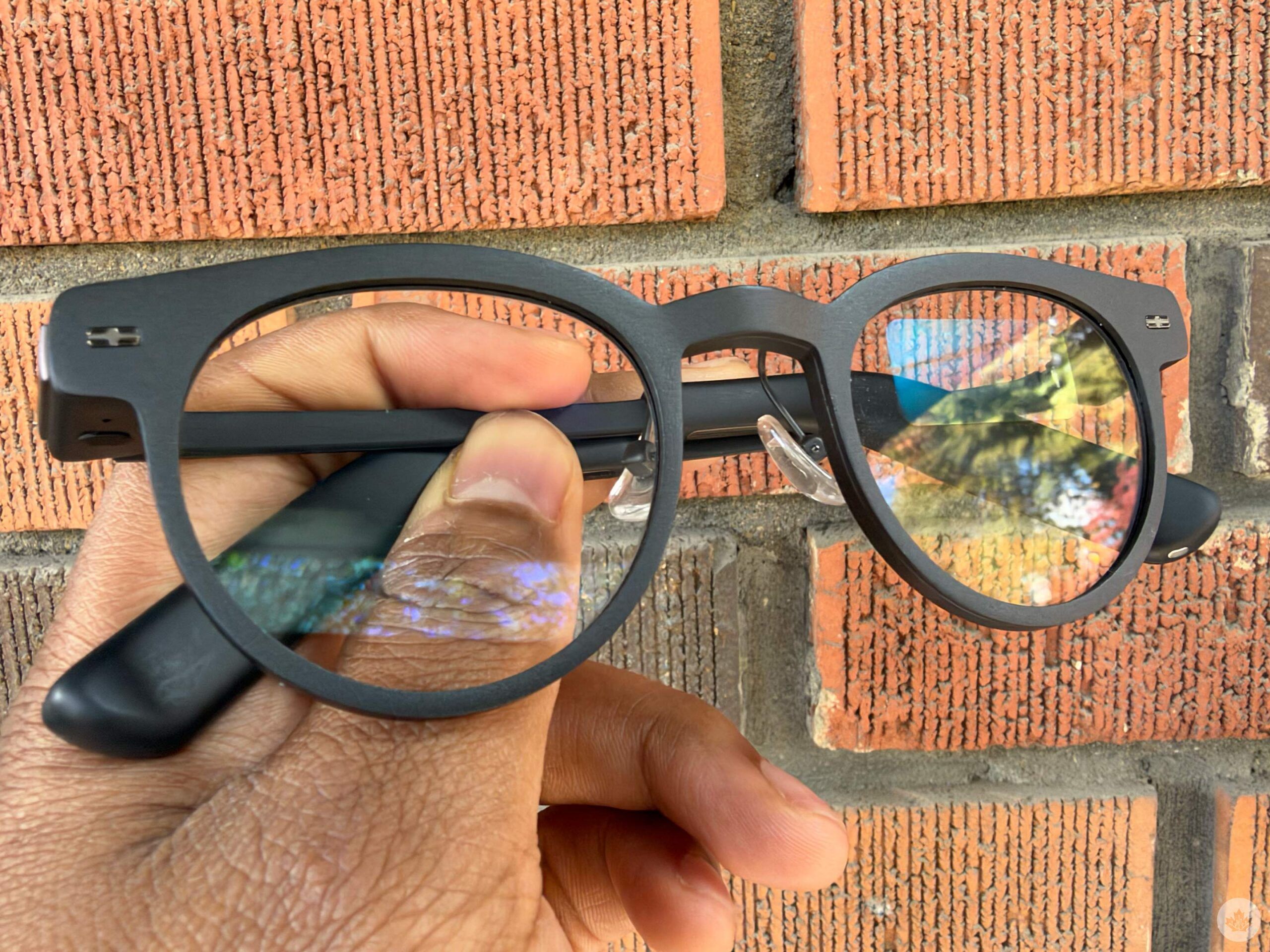
That said, two key hardware drawbacks keep the MemoMind One from total greatness. First, device controls rely on a single physical button that forces you to memorize single, double, and long-press inputs. Voice commands and head gestures help, but having a capacitive touch strip on the temple or a dedicated companion ring like the Even Realities glasses would make navigation far more natural.
Second, charging requires a tiny proprietary dongle that slots onto the temple tip. While it accepts standard USB-C cables and allows you to wear the glasses while plugged into a laptop, losing that small adapter means you’re stranded until you find a replacement.
Starting at US$399 (C$567), the MemoMind One is a pretty reasonable option. If you’re looking for lightweight, comfortable daily frames that deliver turn-by-turn directions, real-time translations, and schedule updates right in front of your eyes—all without making you look like a walking camera rig—it offers a genuinely useful look at smart glasses tech.
 Gaming
  Reviews
  Reviews
  Reviews