


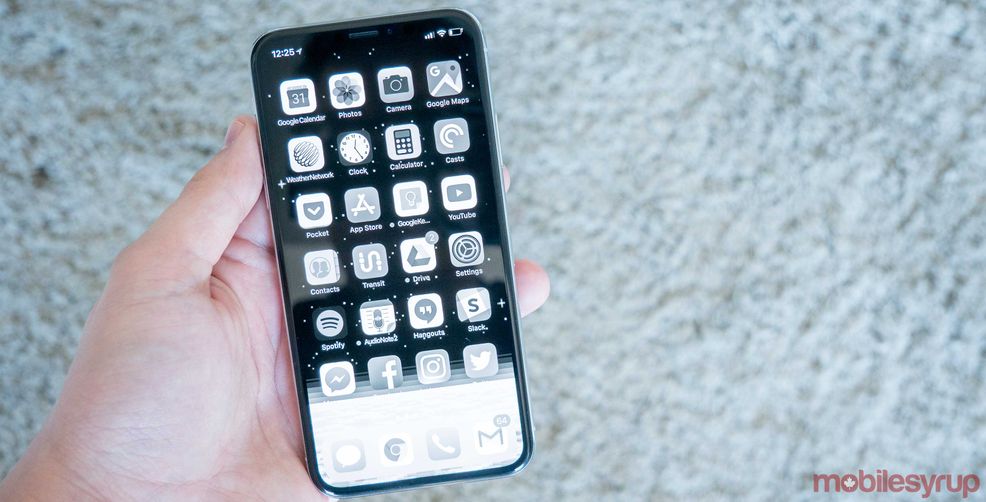
Apple’s latest and greatest smartphone, the iPhone X, is the company best yet. It features a beautiful OLED display, best-in-class facial recognition and those adorable Animoji. However, as with the company’s past smartphones, the iPhone X leaves something to be desired when it comes to battery life.
However, if you’re willing to go to some extreme lengths, it’s possible to significantly extend the battery life of the iPhone X. Taking advantage of the iOS 11’s new greyscale option, users can significantly extend their new smartphone’s uptime. Here’s how to enable that option.
1) Launch the Settings app
2) Navigate to ‘General’ > ‘Accessibility’ > ‘Display Accommodations’
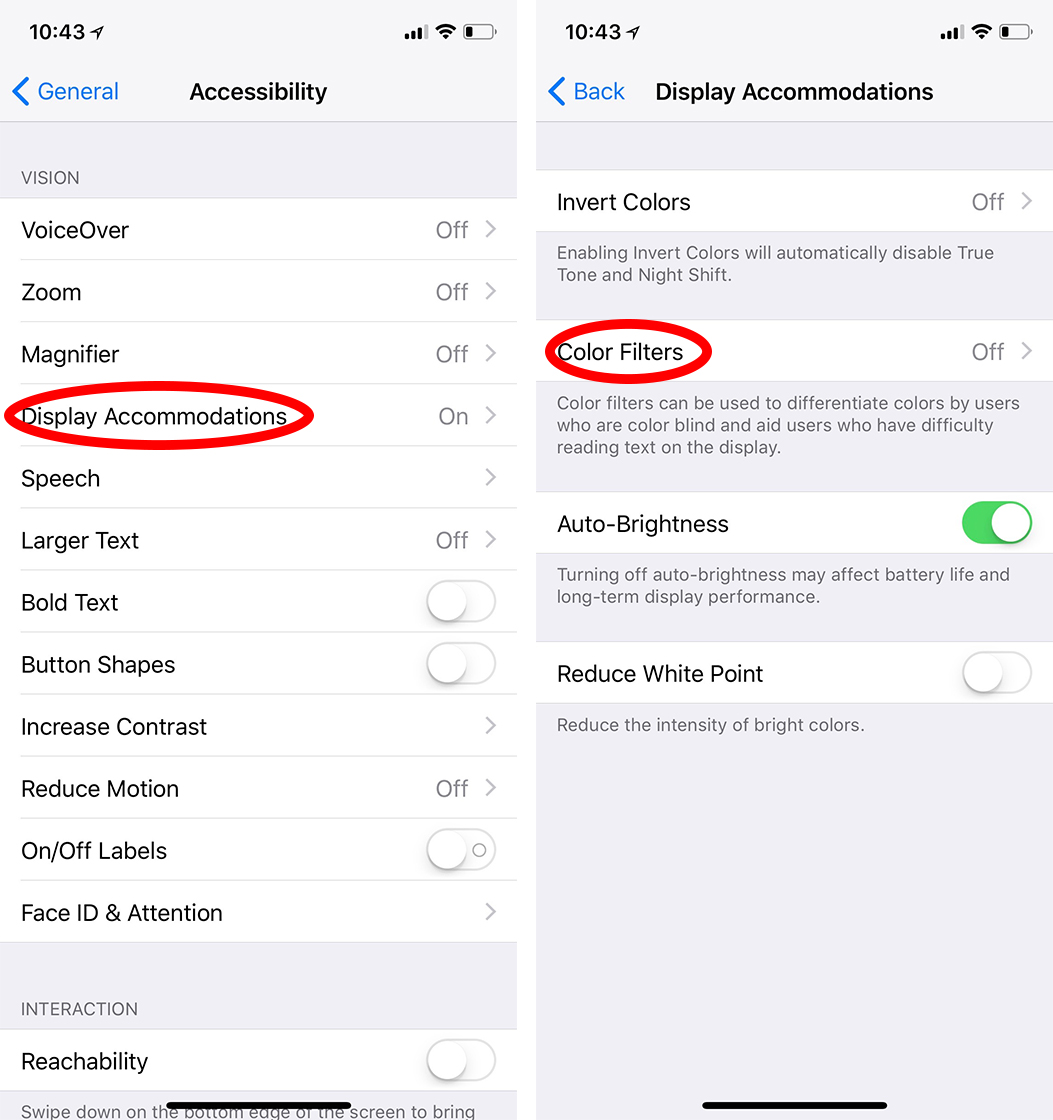
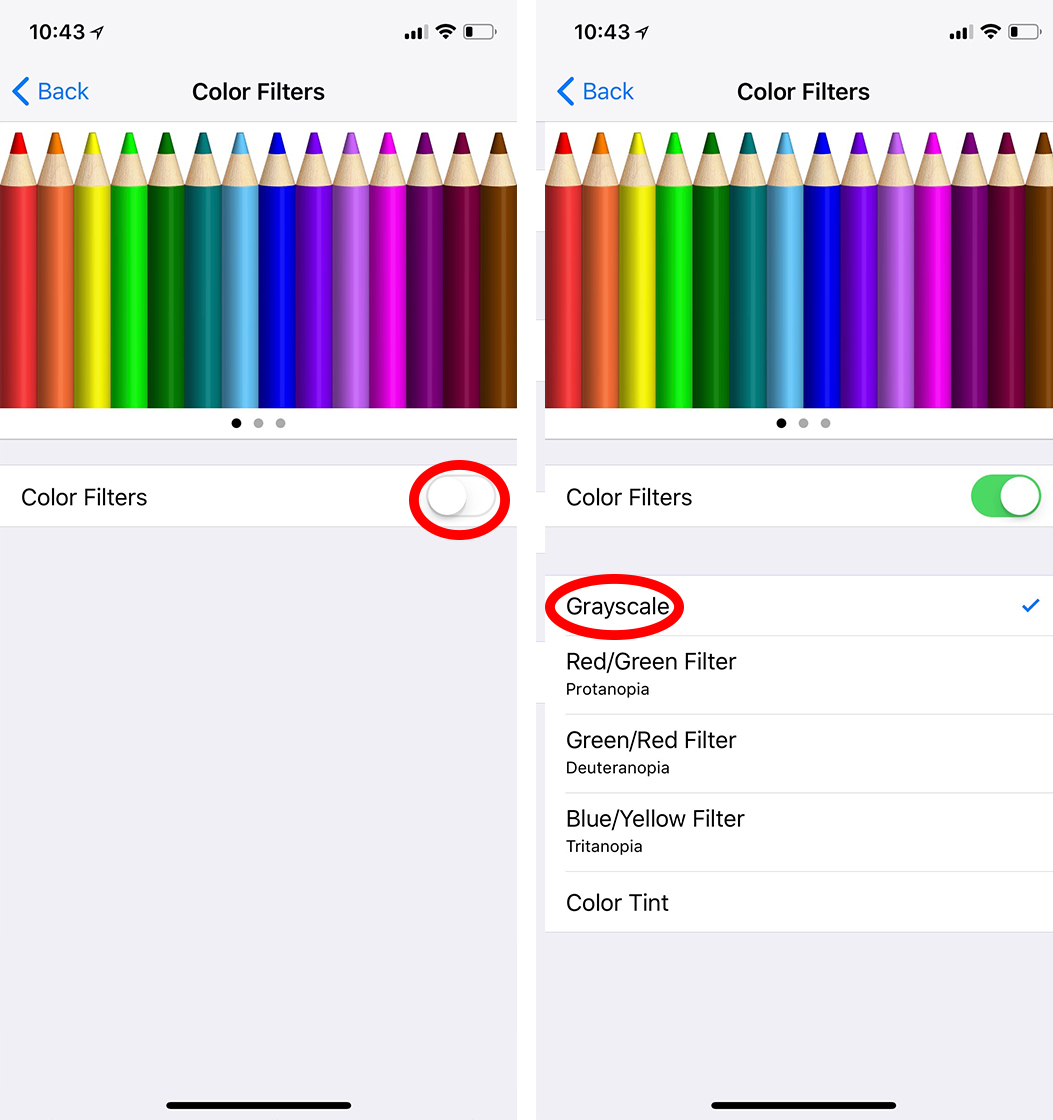
3) Tap ‘Colour Filters,’ then slide the toggle next to ‘Colour Filters’ to the on position.
4) Tap the ‘Greyscale’ option that appears.
5) Additionally, tap ‘Invert Colors” and slide the toggle next to “Classic Invert’ to the on position.
6) Lastly, enable the iOS 11’s Low Power Mode by navigating to the battery section. If you’re a long time iPhone user, you’ll be well acquainted with this feature and what it does.
Protip: If you want to get even more mileage out the above tweaks, use a white background while the invert colors and greyscale options are enabled. The white background will turn to black while the invert colors option is enabled, which will help the iPhone X’s OLED panel save additional battery power.
Admitingly taking advantage of the above tweaks will significantly change the experience of using your new iPhone X, but keep them in mind if you foresee an opportunity where you won’t be able to charge your phone’s battery for an extended period of time.
Via: BGR
 Streaming
  Streaming
  Streaming
  Streaming