


A place for everything, and everything in its place.
For those who love to organize, combining your mobile game and app purchases with your mobile bills makes perfect sense — but few know that it’s actually possible.
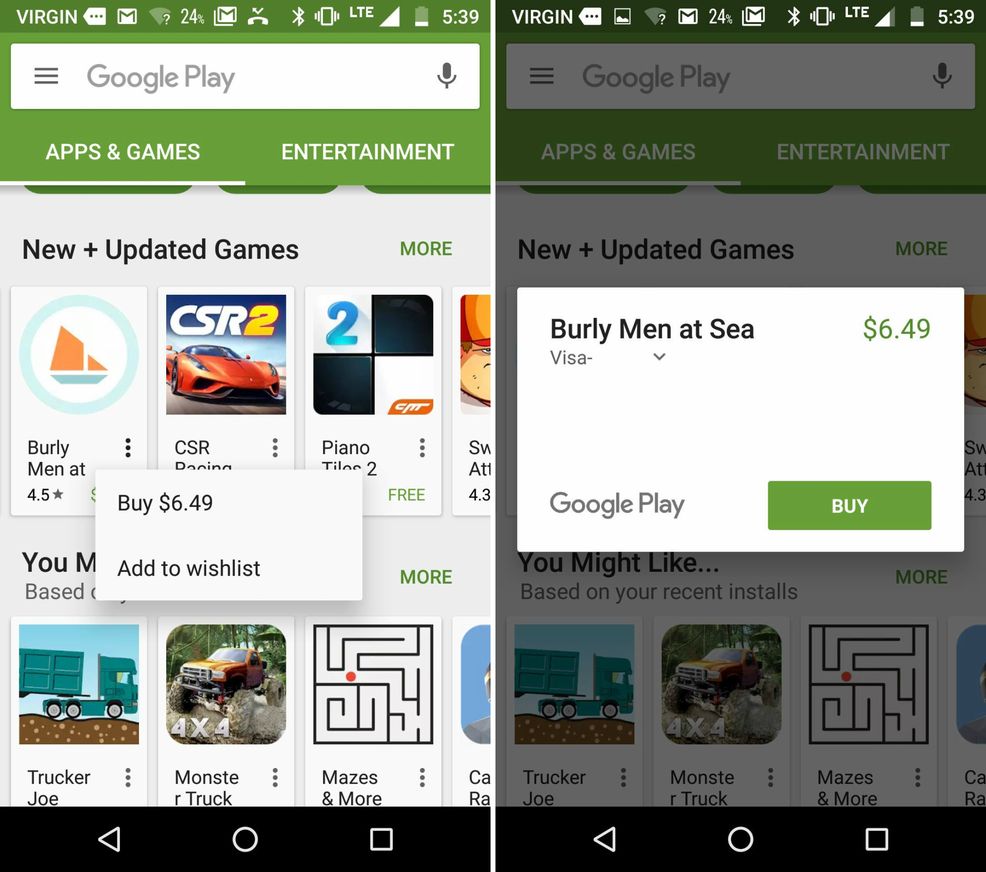
Check out the easy steps below to charge Google Play purchases to your cell phone bill.
 1. Enter the Google Play Store and find the game, app or entertainment content (i.e. movie, music, book or magazine) that you’d like to purchase.
2. When the purchase pop-up box appears, press on the current payment method — in most cases, your credit card.
3. Press ‘Payment Methods.’
4. Select ‘Mobile billing.’
5. Complete the purchase.
Note: A similar option is available for iPhone users but, unfortunately, it doesn’t appear to be available in Canada yet.
 News
News  News
News  Apps & Software
  News
News 