


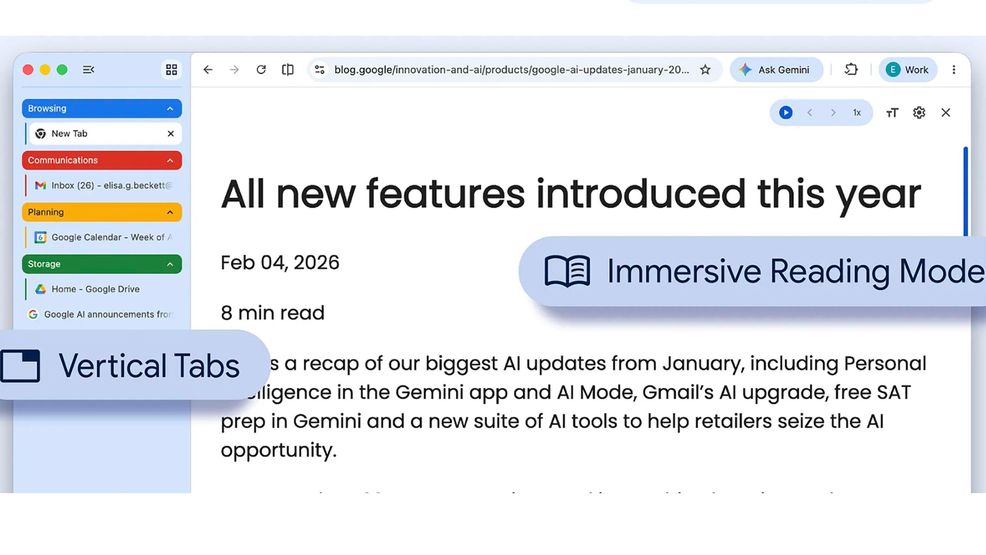
Google is rolling out two new Chrome features that are intended to improve productivity.
First off, users now have the option to switch to vertical tabs. This will move tabs to the side of your browser window, making it easier to read full page titles and navigate tab groups. To use vertical tabs, click on any Chrome window and select ‘Show Tabs Vertically.’
The second feature, immersive reading mode, builds on the existing reading mode with a new full-page interface. This will remove visual distractions and streamline a packed webpage into a text-focused reading experience. To enable this feature, right-click on any page and select ‘Open in reading mode.’
Image credit: Google
Source: Google
 Deals
Deals  News
News  News
News  News
News 