



Google now has a ‘Memory summary’ feature that lets you edit, view and delete information that Gemini has about you.
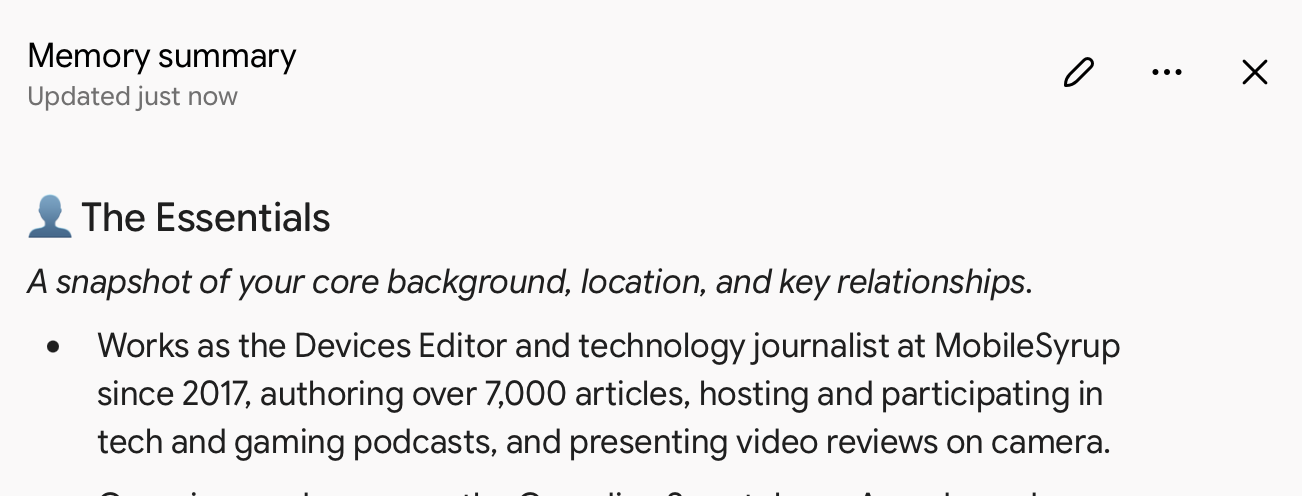
When you check it out, there will be different categories like ‘The Essentials,’ ‘Career & Professional Projects,’ ‘ Travel & Daily Gear,’ ‘Media & Entertainment,’ and ‘Fitness & Lifestyle,’ each with bullet points offering details like the picture above. My Essentials mentions details about where I live, my career and more.
However, you can also add information by speaking with Gemini and saying “Add to my memory that I speak Japanese,” or you can remove information by typing “Remove my old phone number from your memory.” Though, Google may ask for follow up details if your request isn’t specific enough.
There’s also a pencil icon in the top right corner that let’s you make larger edits. And you can find when specific information was added or modded in the overflow menu.
This feature is available to Google AI subscribers in U.S. English with Keep Activity and Memory enabled. However, this hasn’t rolled out yet to mobile and is only available on the web. To check out your Memory summary, head to Settings — Personal Intelligence or click here.
Via: 9to5Google
 News
 News
 News
 News
