


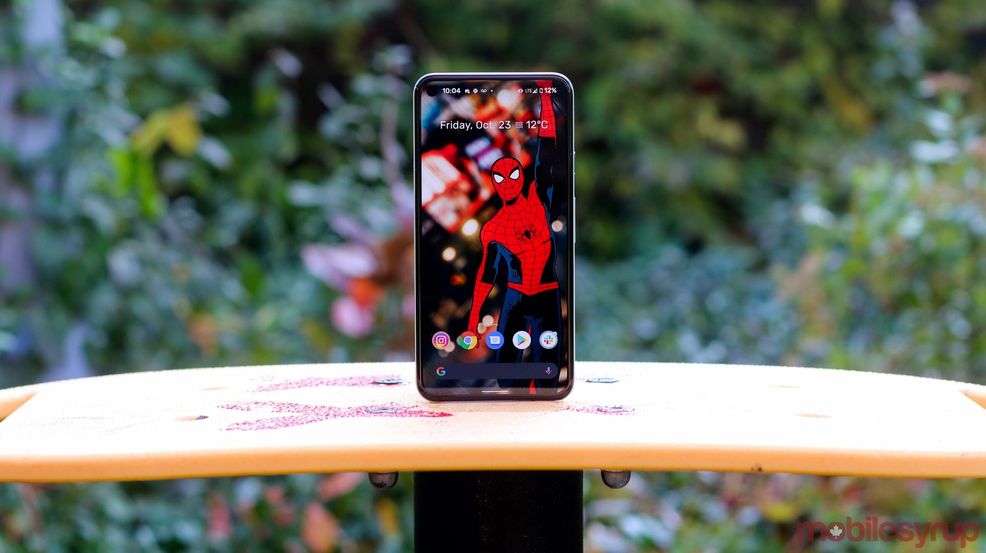
Google’s Pixel 5 features a hole-punch camera in the top-right corner of its display.
I’m pretty fond of it as it looks a lot sleeker than the notched mess included in the Pixel 3 XL. However, with Android 12, it’s now actually possible to hide the notch.
The Developer Preview for Android 12 includes an option for the Pixel 5 that lets users fill the status bar with a black background, hiding the front-facing camera.
After you’ve enabled Android developer settings when running the Android 12 Developer Preview, tap the ‘Build number’ in the ‘About’ page until you get the message, “You Are a Developer.”
Following this, head to Settings > System > Advanced > Developer options > Display cutout and then select ‘Hide.’
It’s odd Google didn’t offer this feature when the Pixel 5 launched since it’s been around since the release of the Pixel 3 XL
Source: Android Police
 News
News  News
News  News
News  News
News 