


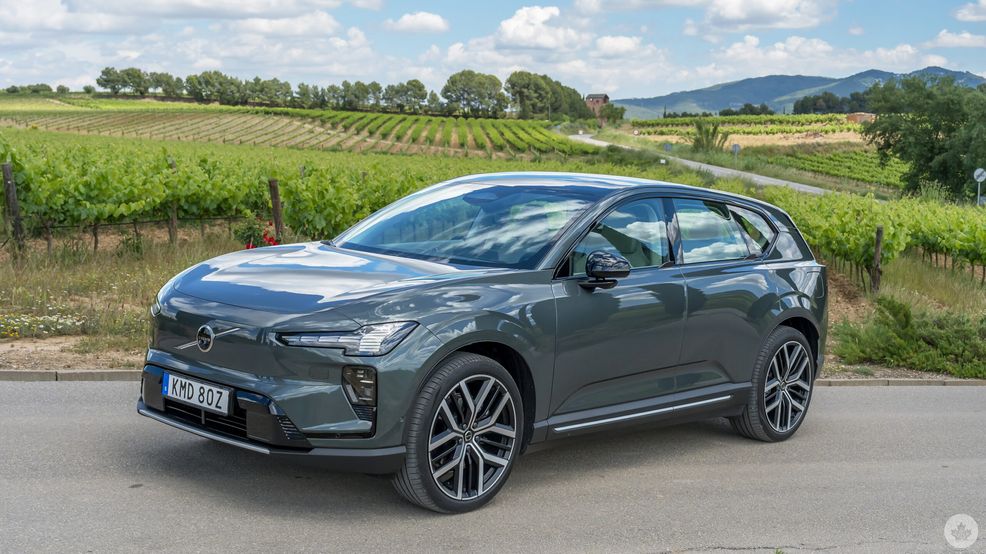
The Volvo EX60 is the middle electric SUV in the Swedish brand’s luxury EX lineup, sitting right between the EX30 and EX90. I’ve now driven all three, and this one’s placement makes a lot of sense, though its bigger impact may lie in what’s going on behind the dash.
That it rides with space and comfort is a Volvo EX staple at this point, but when you throw in a chatty Google Gemini and improved infotainment screen presence, there’s a lot to like about this vehicle.
I got to test drive the EX60 P10 variant in Barcelona and the Catalonian countryside to feel all this in motion on the road. I also got to test drive the P6 version, which is not coming to Canada until sometime in 2027, and is the only EX60 that runs on a single motor. Thus, I focus on the EX60 P10 AWD Electric that’s confirmed for Canada when laying out what it’s like to be both behind the wheel and as a passenger.
Let’s get comfortable
I covered many of the underlying details and intentions when Volvo revealed the EX60 in Stockholm in January, so I won’t go over all of them here. Instead, I’ll focus on the driving experience, since I finally got behind the wheel.
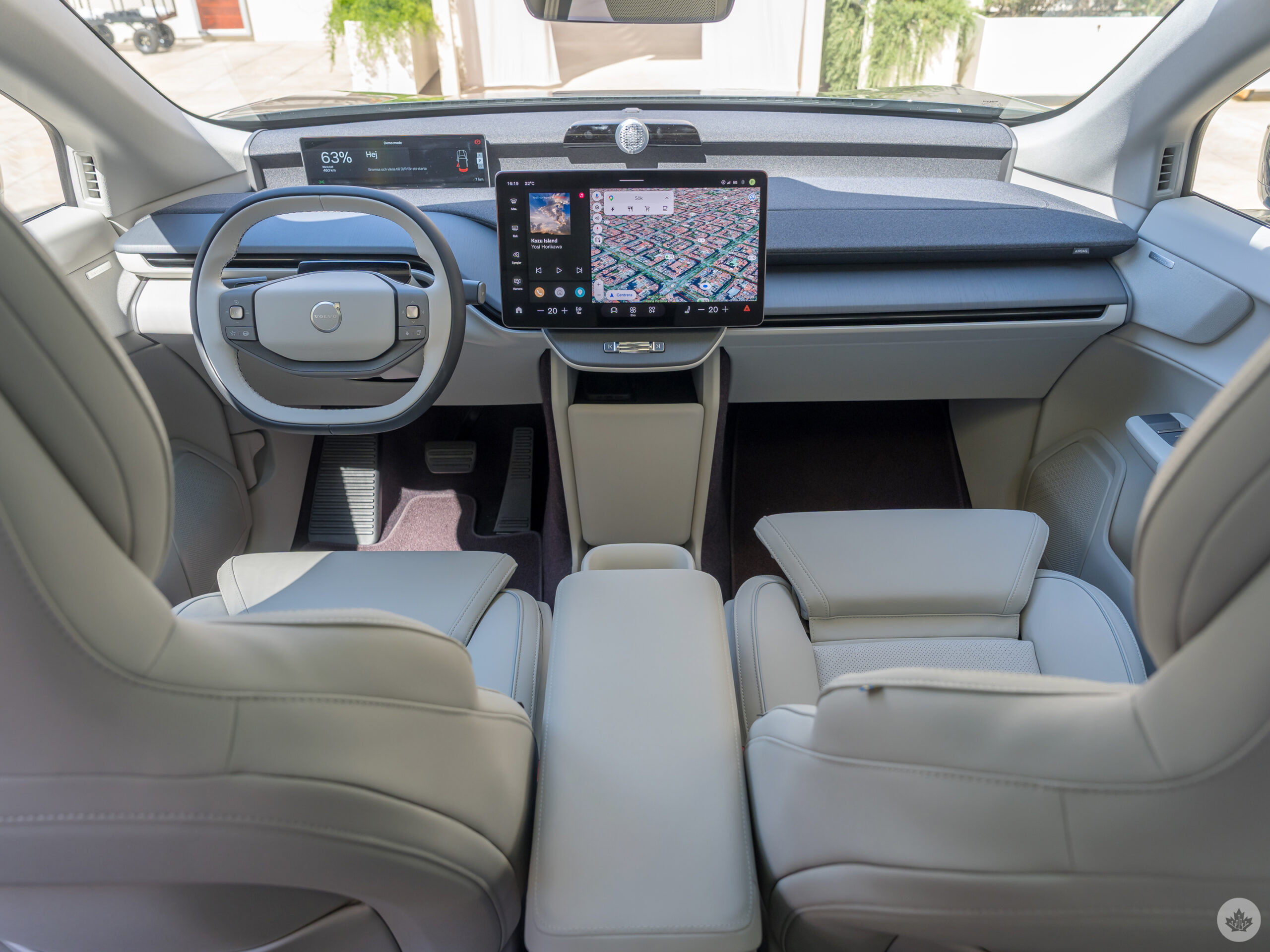
There’s no question it’s a comfortable cabin, no matter where you’re sitting. I sat in the back just to check it out, and as a tall guy, I didn’t feel all that constrained. Riding shotgun, it was easy to feel like I was lounging while my driving partner took the wheel. Still, there are trade-offs one must accept inside the EX60.
I’m a little torn on the centre console because, well, it’s not really a console in the familiar sense. It’s fine as an armrest, but Volvo opts to go with its now-standard sliding dual cup holder mechanism instead. Though pretty cool in how you can slide it out of the way when you don’t need it, you lose out on any storage capacity between the seats.
Without a glove compartment facing the front passenger, all of that storage space moves to a compartment at the bottom under the dash. The thinking here is that it increases legroom for those riding shotgun, yet is an equally clear nod to the minimalism Volvo craves for its vehicles.
The two USB-C ports in the front are 18W and 60W ports, respectively, meaning you can use the latter to charge a laptop pretty comfortably if a passenger needs to get work done. Even more so if you have kids you want to keep engaged on a tablet without worrying about battery issues. But they will have their own exact pair of ports to use in the back. The wireless charging pad nestled in the dash under the screen is not Qi2, so no taking advantage of faster speeds there.
Lay of the land
Only the EX60 P10 will be coming to Canada, with the P6 set to arrive sometime in 2027. The P12 is not set for Canada at this time, but will come to the U.S. For the P10 Plus trim starting at $77,500, you get the same twin motor powertrain as the Ultra trim, along with the same 360-degree camera system, a 21-speaker Bose premium sound system, 19.2kW onboard AC charger, bi-directional charging support, three-zone climate control, and a heat pump with remote interior preconditioning.
An “all-in” $81,419 that covers the single options and climate package can get you Ultra staples like integrated booster cushions, ventilated front seats, four-way power lumbar support, an electrochromic panoramic roof and 21-inch alloy wheels.
Upgrading to Ultra, starting at $84,000 and going up to $87,919, gives you those 21-inch alloy wheels, the electrochromic glass roof with adjustable shading, high-definition headlights and an upgraded 28-speaker Bowers & Wilkins audio system with Dolby Atmos support. Not to mention the Nappa leather seats as a nice touch. As with other EX models, Volvo makes heated seats and steering wheel standard with both Plus and Ultra in Canada.
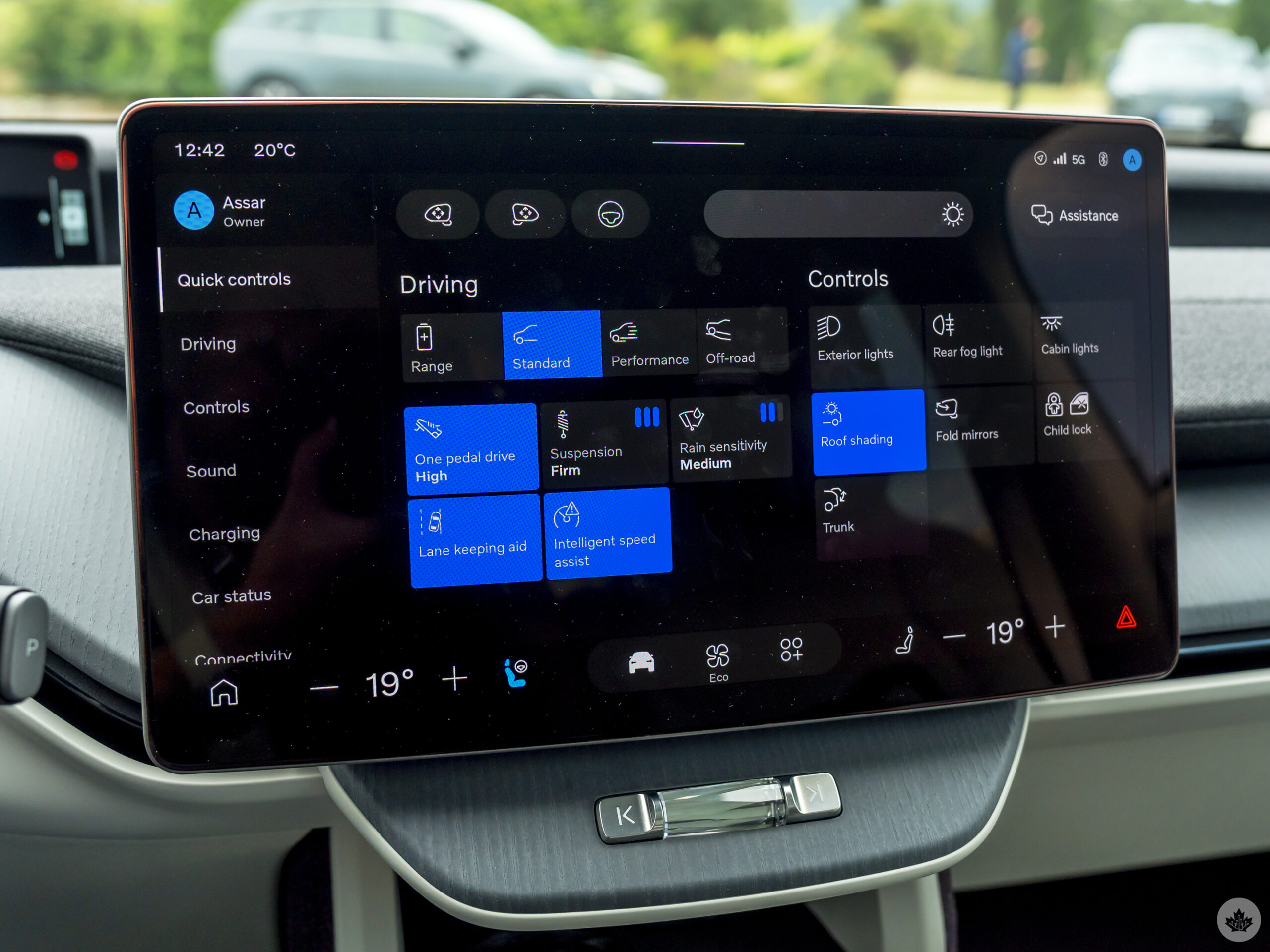
Otherwise, both trims share the same powertrains and metrics, so most of the differences between them veer more toward features, comfort and technology. Since both share the same general design, frame, and cabin space, there’s a fairly consistent experience between them, save for the optional upgrades I noted.
Importantly, they also get Volvo’s new multi-adaptive seat belt that controls force during accidents. It doesn’t require the driver doing anything to set it up, but it’s adaptive via onboard sensors, offering 11 profiles that take into account the speed and direction of a collision, as well as the size of the occupant. Basically, that means a larger person gets a higher belt load in a serious crash, whereas a smaller person in a mild crash gets a lower belt load so as not to induce an injury in the rib cage. It’s one of those things you hope to never engage, but glad it’s there just in case.
Two screens are better than one
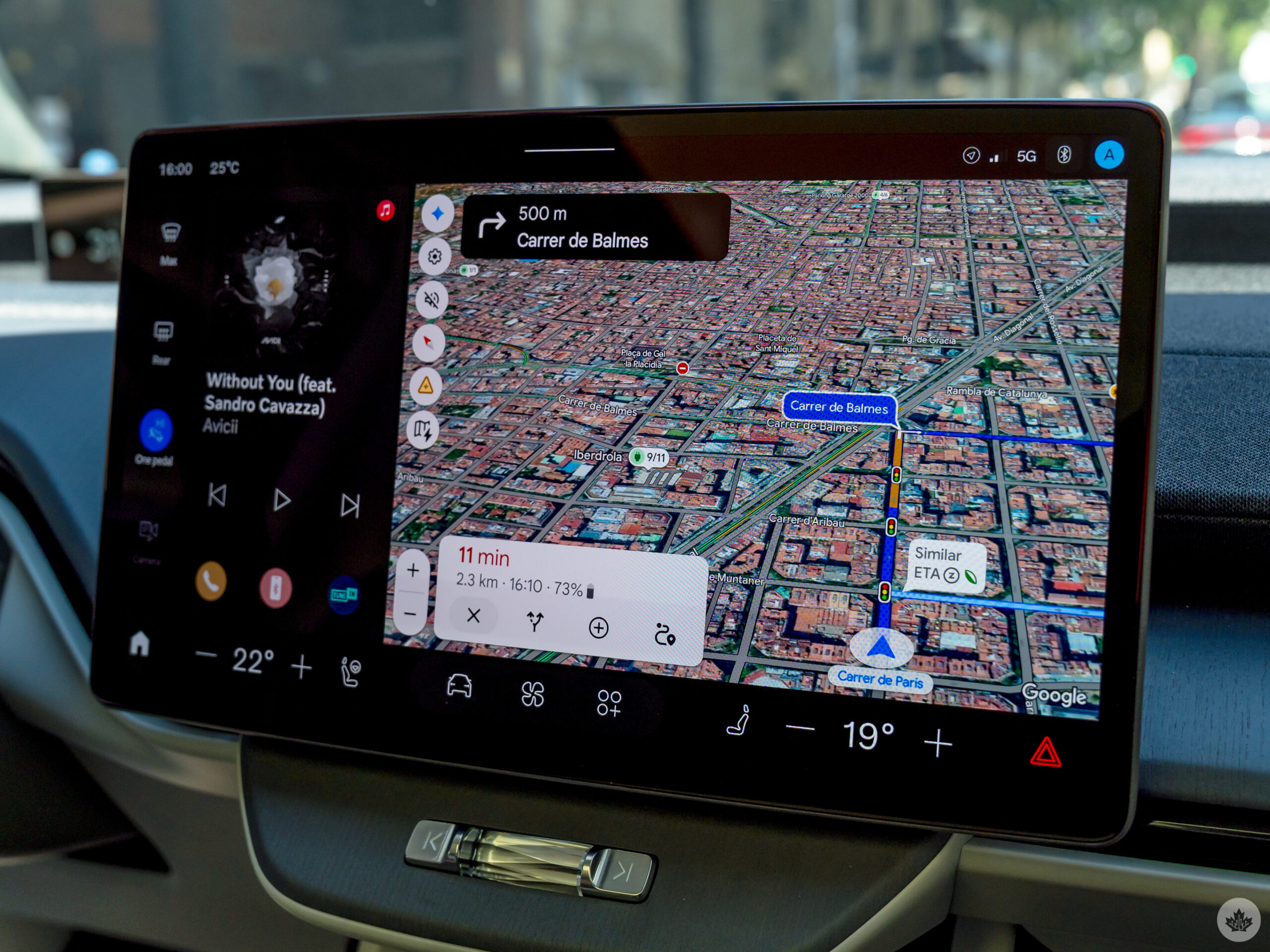
The EX60 is the first time Volvo shuns the previous portrait-oriented screens for a slightly concave 15-inch OLED panel in landscape. It’s bright enough in sunlight not to struggle with visibility, nor is it ridiculously glossy in producing terrible glare. A bit of a fingerprint magnet for sure, though.
The screen is chock-full of information laid out in a variety of menus, largely controlled by three main points at the bottom (driver, climate, apps). Tapping on Driver settings reveals a sidebar of shortcuts to get to everything from driving preferences, charging, audio, and connectivity settings, among others.
Despite its size and responsiveness, Volvo is trying to make it so that you don’t touch the screen as much. That’s where voice control via Gemini comes in. What’s interesting is that if you choose to run Android Auto in the car, you have two concurrent Gemini AIs running. Short-press the talk button on the steering wheel to wake the built-in Gemini; long-press to wake the Android Auto one.
You might not think there’s a difference, but there is. The Android Auto one generally knows more about what you’ve searched on your phone, like locations, for instance, whereas the built-in one knows about settings in the EX60. If you do log into the built-in system with the same Google account, things like contacts, map information and YouTube history can carry over, but not necessarily third-party apps. You’d have to log in to apps like Spotify and Waze separately.
It also means you can run Gemini alongside Siri or ChatGPT if you’ve got CarPlay running as well. What’s cool is that navigation can still run from the built-in system, so music can play from the iPhone while the built-in Google Maps or Waze handles directions.
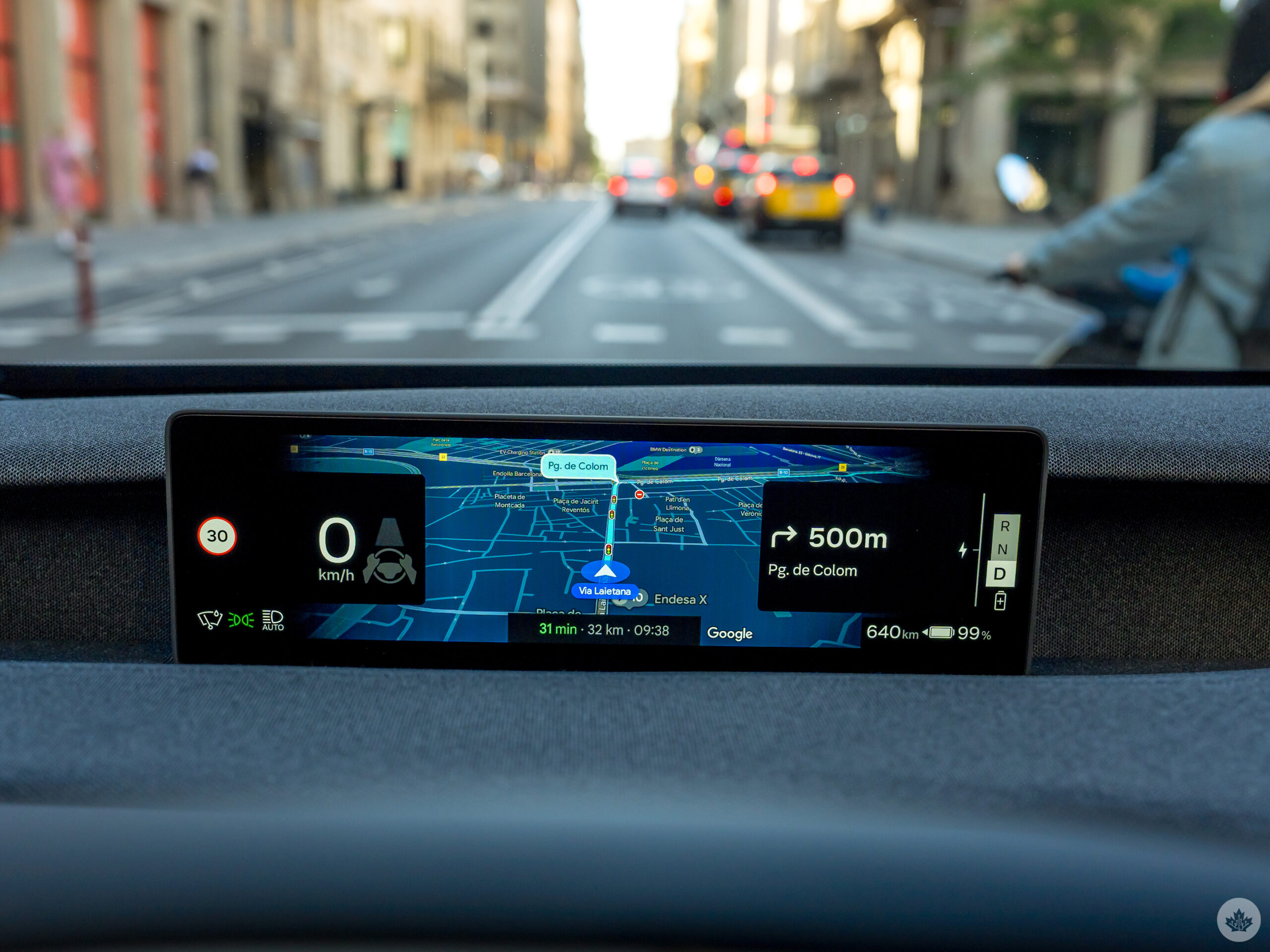
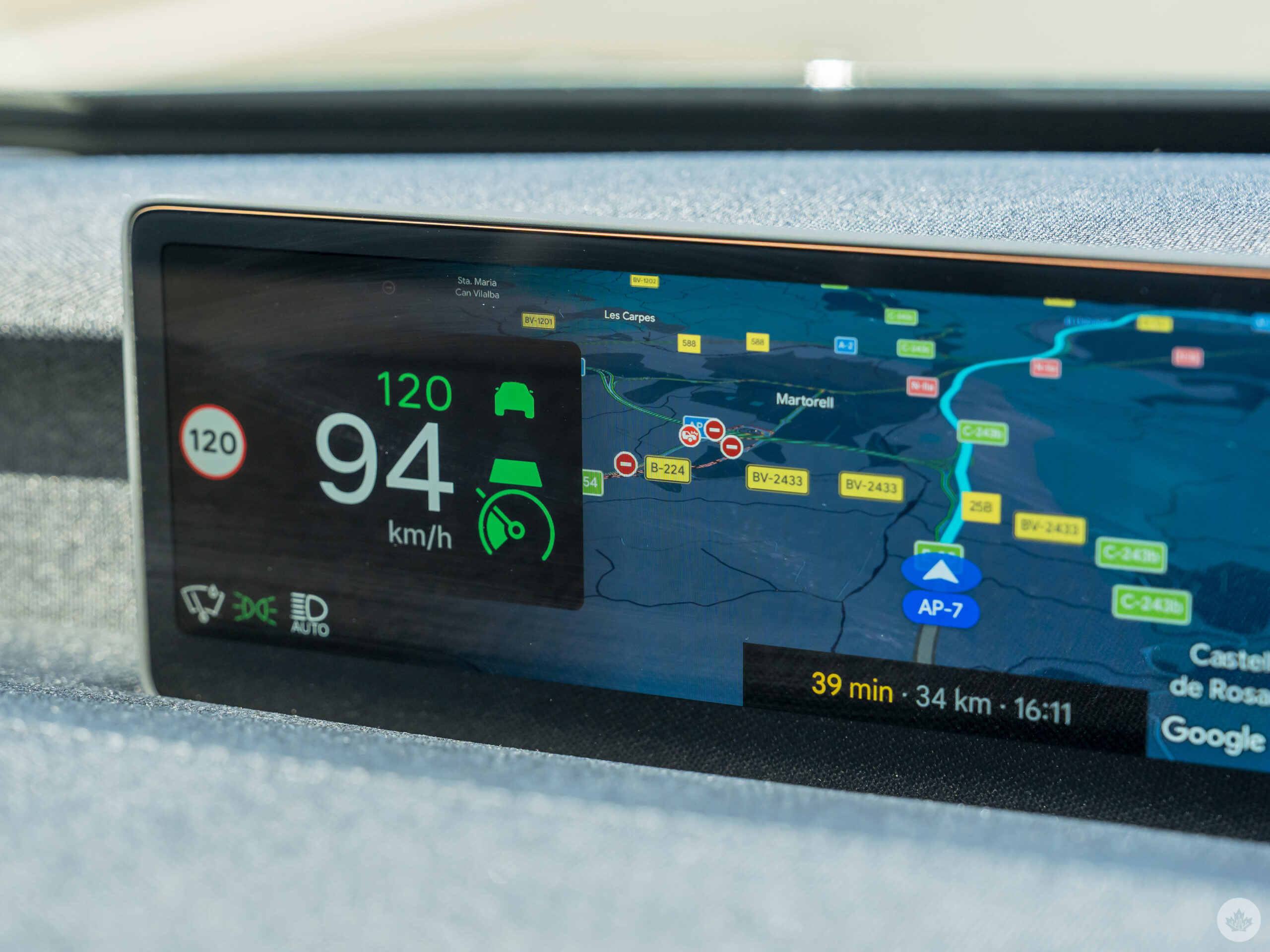
Going landscape is the right move for the main screen, but I would argue the 11.4-inch “forward driving display” digital cluster behind the steering wheel is a major contributor. After completely cutting out the cluster in the EX30 and making a tiny one for the EX90, this feels like a more substantial part of the broader system. There’s no heads-up display (HUD) projection to the windshield here, so that forward display is often the best place to look for mapping directions. It’s also where key things like Pilot Assist, approximate range, and speed generally appear.
Google Gemini
Integrating Gemini into the EX60 means not only having an onboard AI that should be familiar, but also one that ties into the vehicle’s own functions. The first thing I asked it was everything it could control or access, which amounts to navigation, audio, climate control, driving range, battery diagnostics and access to the user manual.
What it can’t do is change things like audio settings, driving preferences, and connectivity. You can’t tell it to change driving modes or switch the audio effect from, say, 3D Surround to Gothenburg Concert Hall, for instance.
In perhaps the most bizarre UI choice Volvo makes, Gemini abruptly stops talking the moment you tap on the screen — and it’s not a glitch. I asked Volvo engineers and executives who were on hand during the two-day test drive why they would do such a thing, and it basically comes down to driver safety. Cold comfort when it happens while a perfectly safe passenger is tapping on the screen in a similar scenario.
I personally found it a frustrating experience, particularly because I like talking to Gemini about history or contextual information, even more so when cruising in an area with some history worth talking about. We were in the midst of the history of wine in Catalonia when I tapped on the screen to access driver settings. It took multiple subsequent prompts to try and get it back on track in the conversation.
The one saving grace may be that Volvo’s Product Lead in Connected Experience, Anders Lindbom, tells me the company is still deliberating on whether it actually follows through with such a restrictive move by the time customers drive off with their EX60s in the coming months.
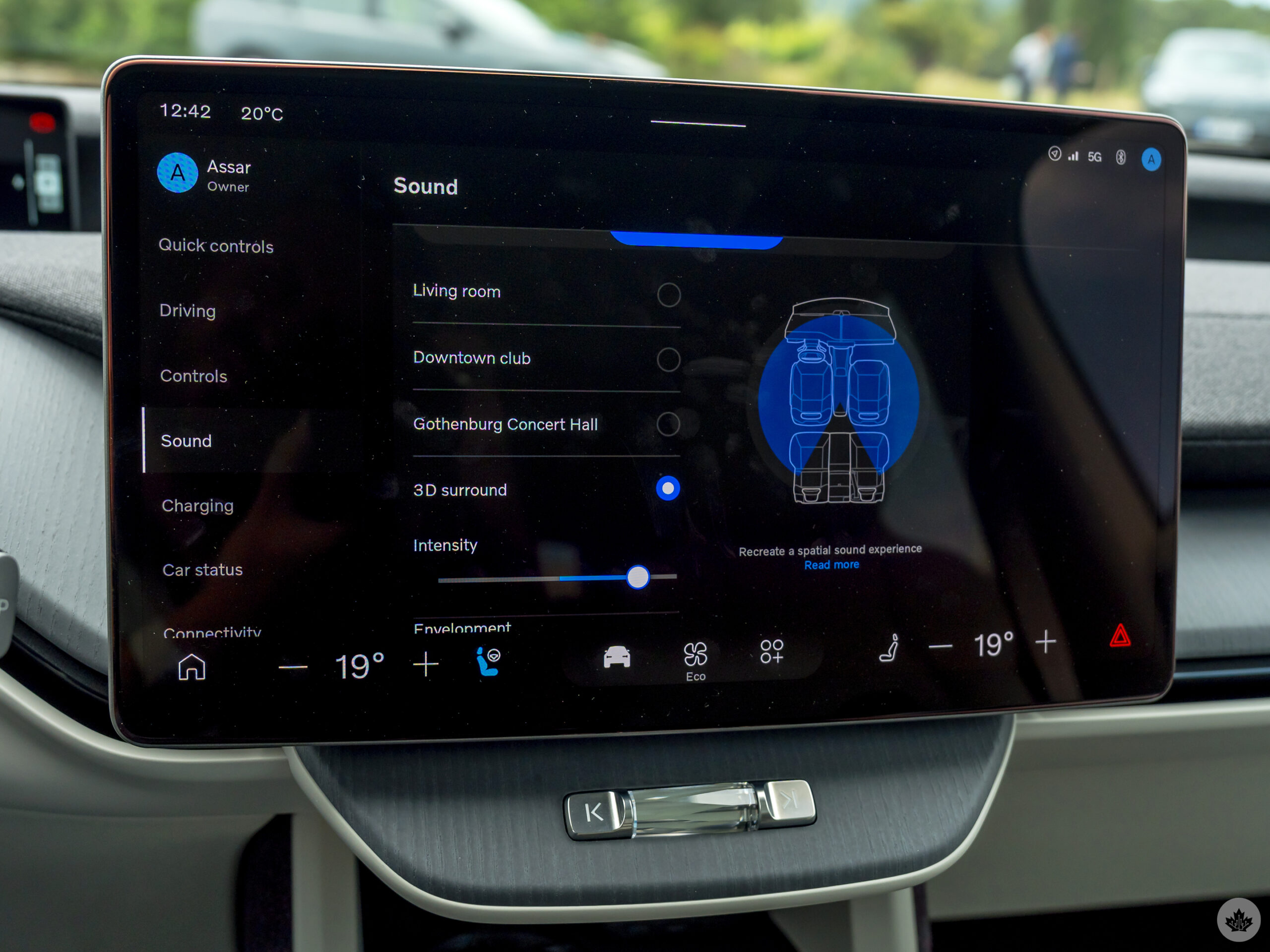
Personally, I don’t think Volvo has much of a choice. Given how Gemini continues to evolve, and with the most recent announcements at Google I/O going over changes coming to both Google built-in systems and Android Auto later in 2026, the proverbial doors continue to swing open.
Volvo is among the brands Google mentions as a launch partner for video playback, though company reps revealed little about that. What we do know is that the system will restrict playback to when the EX60 (and other supported Volvos) isn’t moving — like waiting while parked or charging the EV’s battery, for instance. That this will work with Google built-in isn’t as big a deal as the fact Android Auto is getting this feature, too. If you start driving while watching YouTube, the system will switch it to audio-only, which actually seems like a good way to keep listening to a podcast or concert. The EX60 already benefits from Dolby Atmos, but the fact that it’s also coming to Android Auto opens up another avenue to reap the audible benefits.
One thing I find particularly compelling is how Google’s built-in system can integrate with the EX60’s cameras for better driving guidance through far more immersive maps and — potentially — contextual need-to-know details based on what they see. Approaching a curb or parking lot and asking, “Can I park here?” would be one such example.
To be clear, I didn’t test any of that because it wasn’t available, but it does present a very intriguing evolution for Google’s in-car infotainment platforms.
Driving the EX60
The EX60 follows suit from the EX30 and EX90 in that there’s no key or fob, nor an on/off switch. As long as you have the ultra-wideband key on your iPhone or Android phone, you can just put the EX60 in drive and be on your way.
While I never used it during the test drive, the EX60 can store multiple driver profiles to personalize settings for anyone sharing it. Very ideal for a couple who might not only need their own app logins but also seat, steering wheel and side mirror positioning. The Bowers and Wilkins sound system is also fantastic, and I grew to like the different modes as well.
Once on the road, the EX60 drives exactly like I expected it would — smooth, responsive, precise. I like the handling, while acceleration shows its pep for a mid-size SUV by hitting 100 km/h in just 4.4 seconds. Speed is always tough to experience in Barcelona traffic, so the open highways and rural roads of Catalonia offer plenty of opportunity to gun it a little and gauge some of the limits.
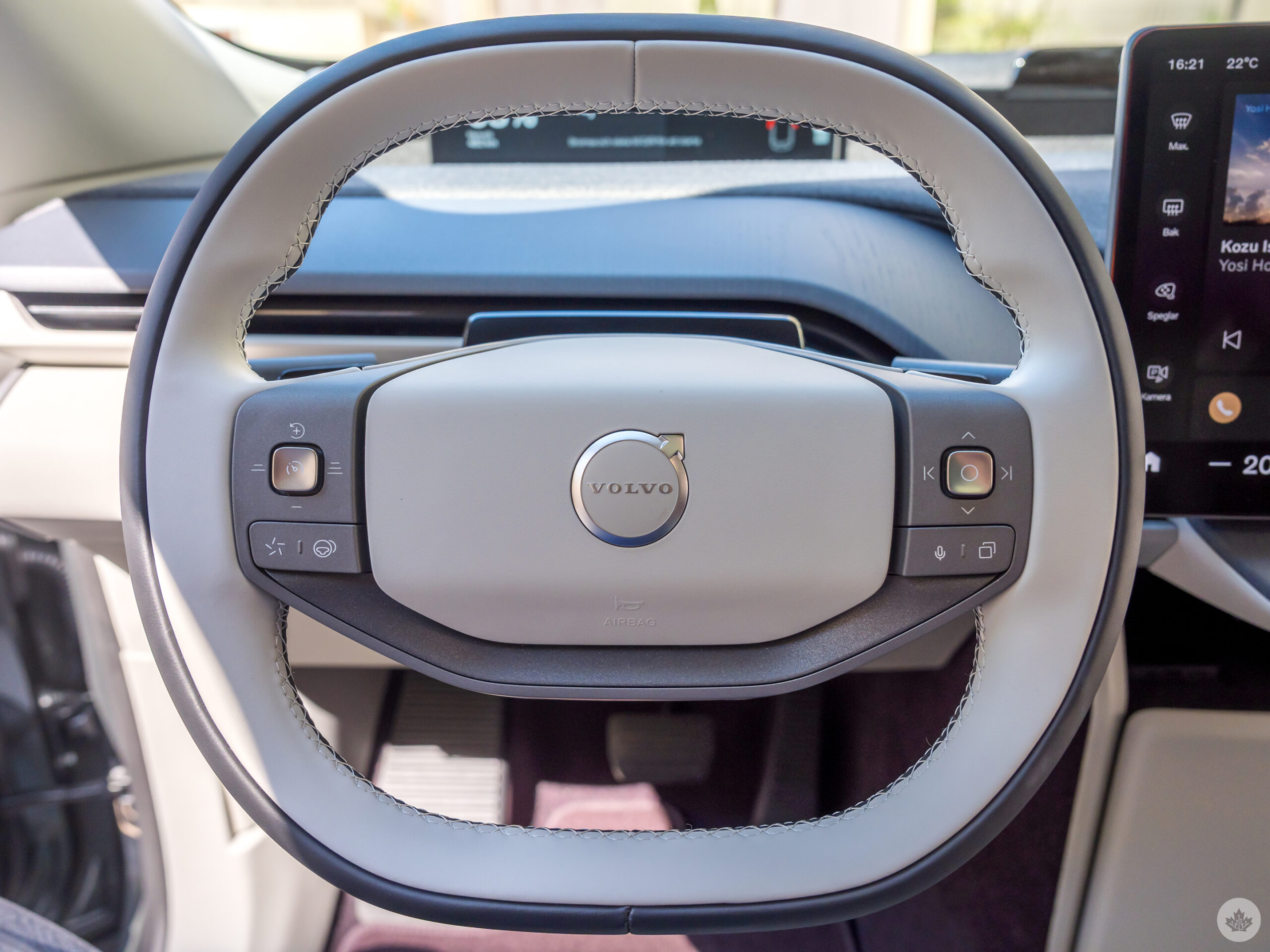
The square-ish steering wheel takes some getting used to, something Volvo purposely designed to increase clearance over the top of the wheel and make the forward display more visible, given how recessed it is.
Like Volvo’s other EX models, the level of driving customization feels pretty extensive. I tried all the driving modes (Standard, Performance, Off-Road) to feel the subtleties in each, and in lieu of a “sport mode,” Performance stands in as the sportiest option among the trio. Not that I got to drive in rugged terrain, but Off-Road basically uses adaptive suspension and the all-wheel drive motors to deliver higher ground clearance (up to 25 km/h) and better control via the accelerator pedal. Like one-pedal driving, you don’t need to constantly press on the brake navigating rougher spots because the car creeps once you lift off. Using this mode on a regular road does nothing, so it truly is for very specific circumstances.
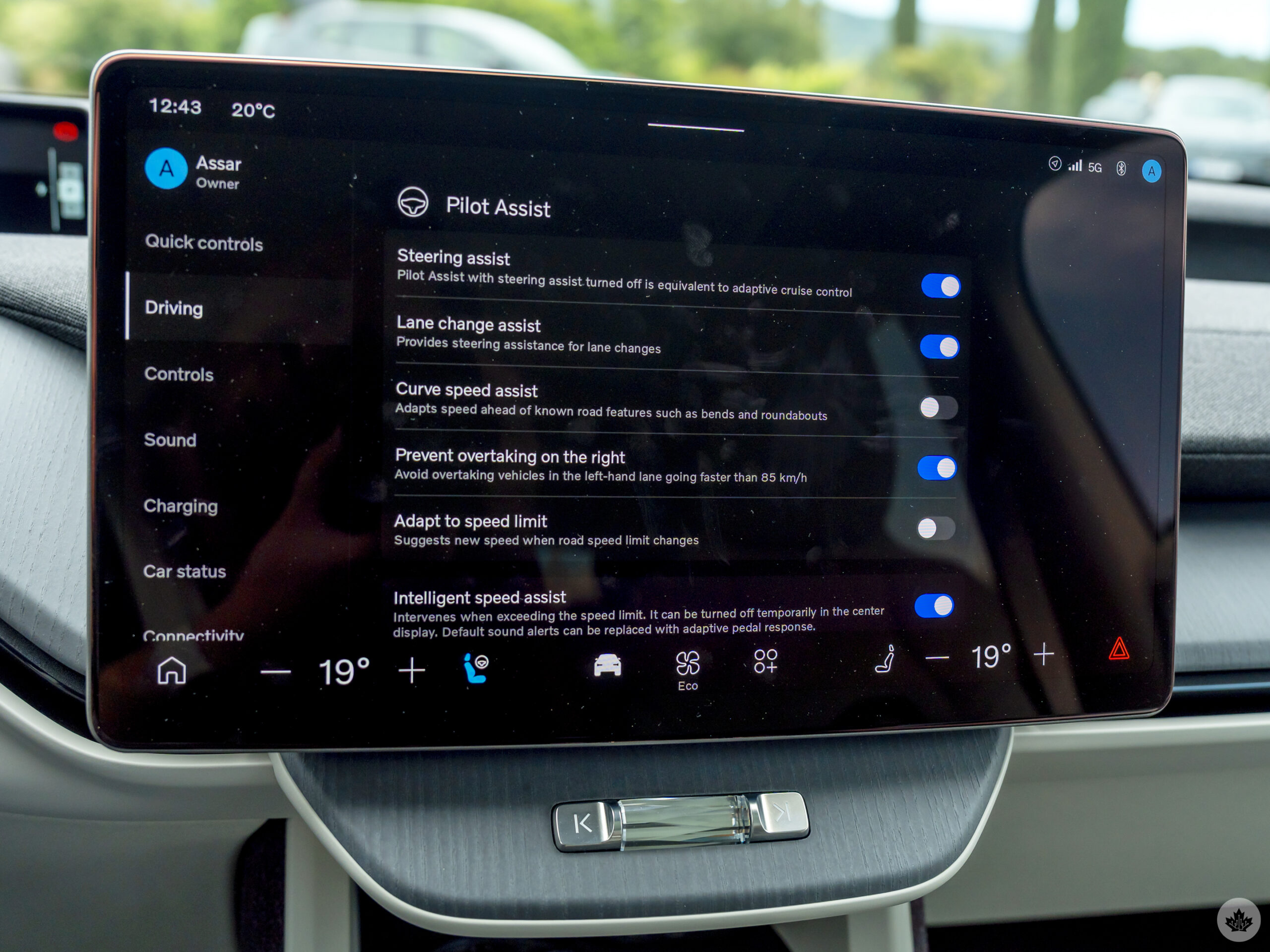
Pilot Assist is a semi-autonomous mode that is really more of an enhanced cruise control since you have to keep a hand on the wheel. Setting it requires hitting the cruise control button on the steering wheel first and then hitting the Pilot Assist button thereafter. Like other systems, I could adjust the speed but also tell it to change lanes. The word “assist” is operative here, though, meaning you still have to steer in the direction you want to go in, much like how the mode’s main purpose is to keep you centred in a lane. Onboard cameras need to see two distinct lines on the road to work, which is why it’s generally more for highway driving.
Also, as before, it doesn’t work from a dead stop, so it’s not much help in stop-and-go traffic the way GM’s SuperCruise or Ford’s BlueCruise are.
Charging and processing power
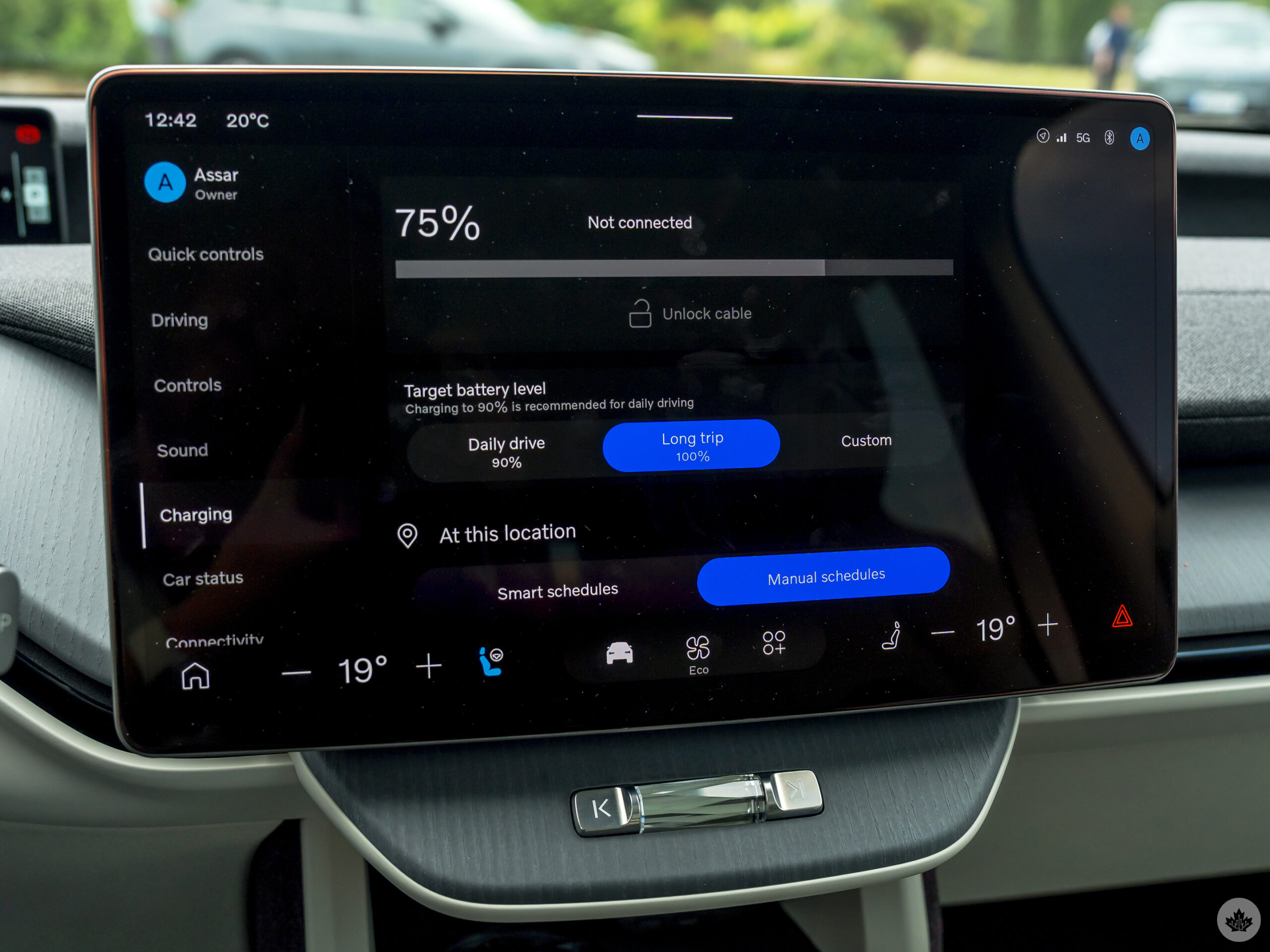
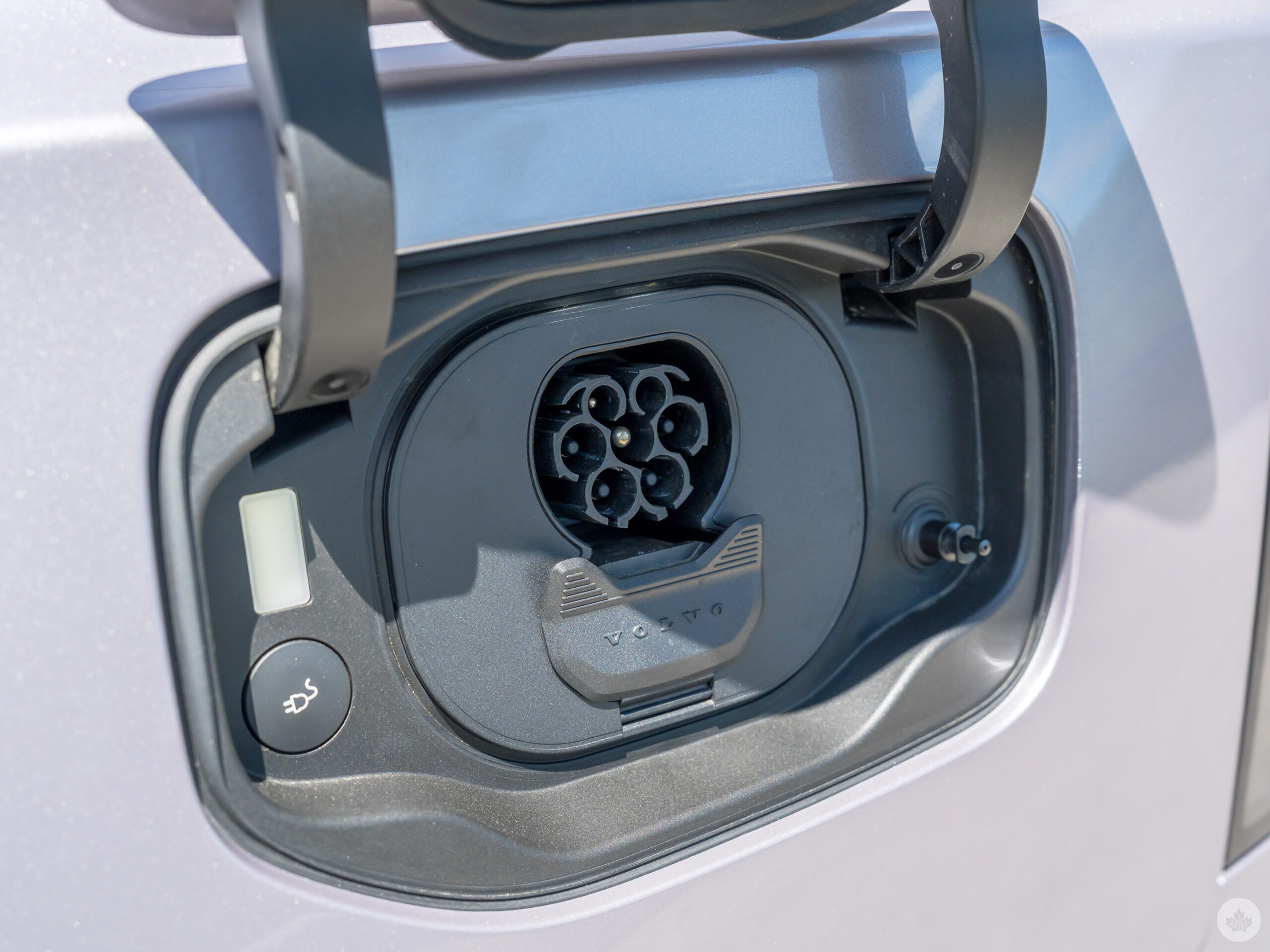
I didn’t get the chance to charge the EX60, but it’s clear it’s Volvo’s first to have a native North American Charging Standard (NACS), so that big Tesla Supercharger network is compatible when you need some juice. If you’re lucky and have any 400kW charger close by, it can take a mere 15 minutes to go from 10-80%.
Mind you, the range for the P10 is an estimated 514 km. I’m inclined to believe that after seeing 390 km left at 71% during my own drive. Granted, cold weather, air conditioning, heat, driving mode and other variables will always affect that number, but a long road trip isn’t out of the question with this vehicle.
Volvo is calling the EX60 truly “software-defined,” and the claim rests on a three-part foundation: in-house electrical architecture, proprietary software, and an Nvidia core compute module that handles processing for the whole system. In other words, the Nvidia chip doesn’t just power the infotainment system or driver-assisted features; it’s the central core that controls both the software stack and the vehicle’s own propulsion.
A built-in SIM gives the vehicle constant network connectivity to enable Volvo to send over-the-air updates that can impact both infotainment and driving features, as well as plug or patch holes that pop up. Essentially, Google can release a new update for its automotive endeavours, and Volvo could then relay it over to the EX60 whenever it feels ready to do so. However, there’s no Wi-Fi hotspot, so while OTA updates come in regardless, all other data has to come from your phone.
Coming soon
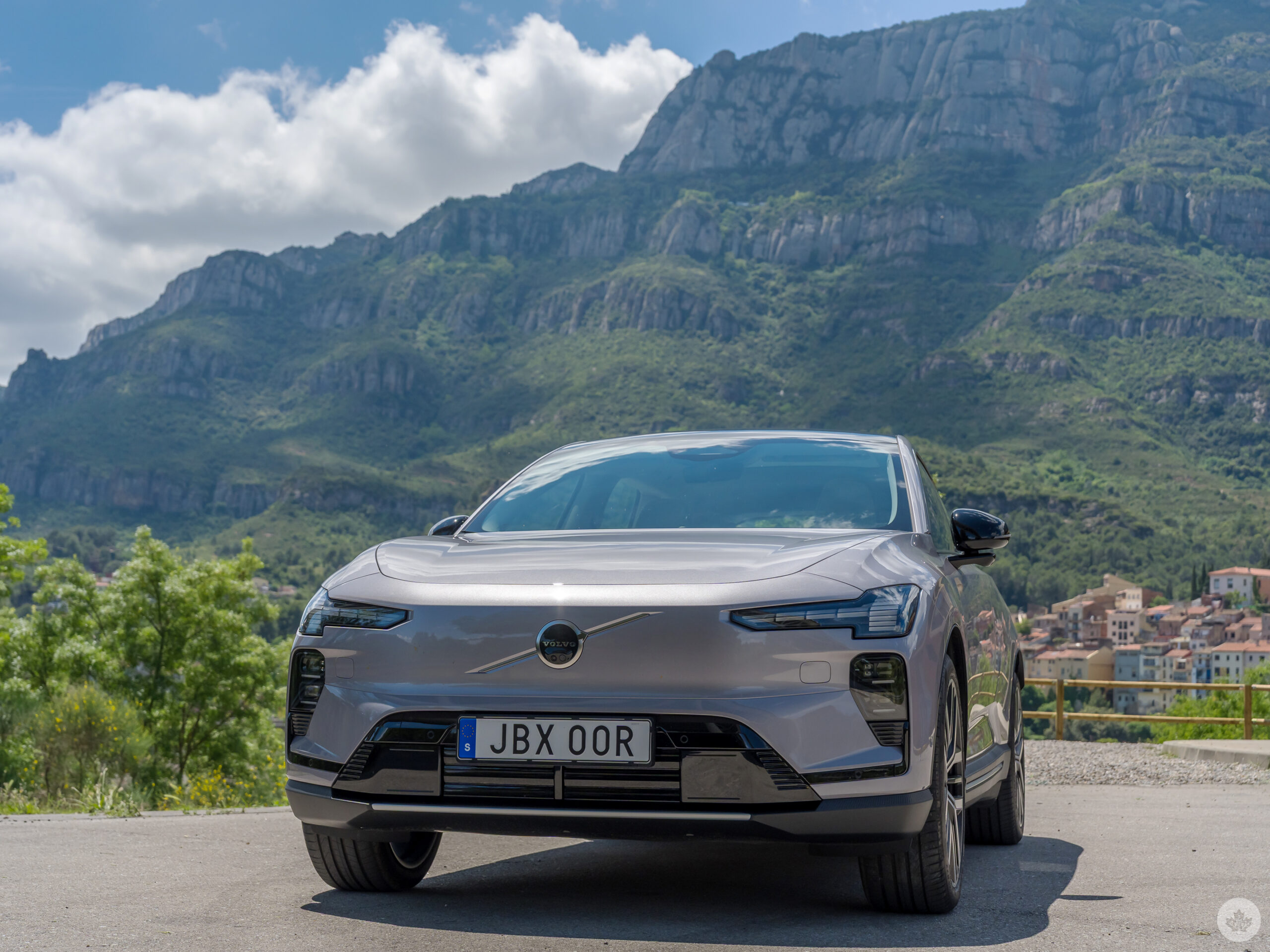
You can reserve and order the Volvo EX60 right now with or without the add-on upgrades. Deliveries in Canada are expected in the fall, while dealerships will get demo units in late summer. The EX60 may not qualify for the various government rebate programs available, as the terms and language change and can be confusing. The EX30, on the other hand, has now hit the mark.
 Features
  Sponsored
  Features
  Features