


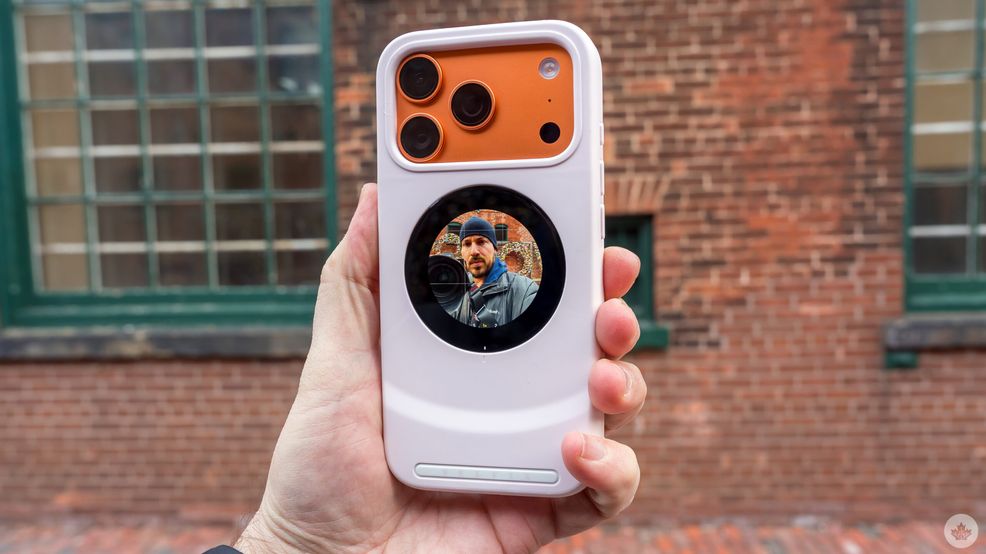
It may be impossible to nail down just how many selfies people take on any given day around the world. Even more so, how many come from a phone’s rear cameras over the front cameras, though we can guess a vast majority come from the latter. Regardless of the device, rear cameras will generally lead to better results, but seeing a live preview has long been the advantage of front cameras.
The Dockcase Selfix offers a clever workaround by embedding a circular rear display in a case for the iPhone 17 Pro and 17 Pro Max. Using this for weeks now, it has its perks and shows it can hold up in practice, but it’s also up against real competition that take on this concept in different ways. It’s also a crowdfunded device, adding another element to the mix.
Making a case to stop using the front camera
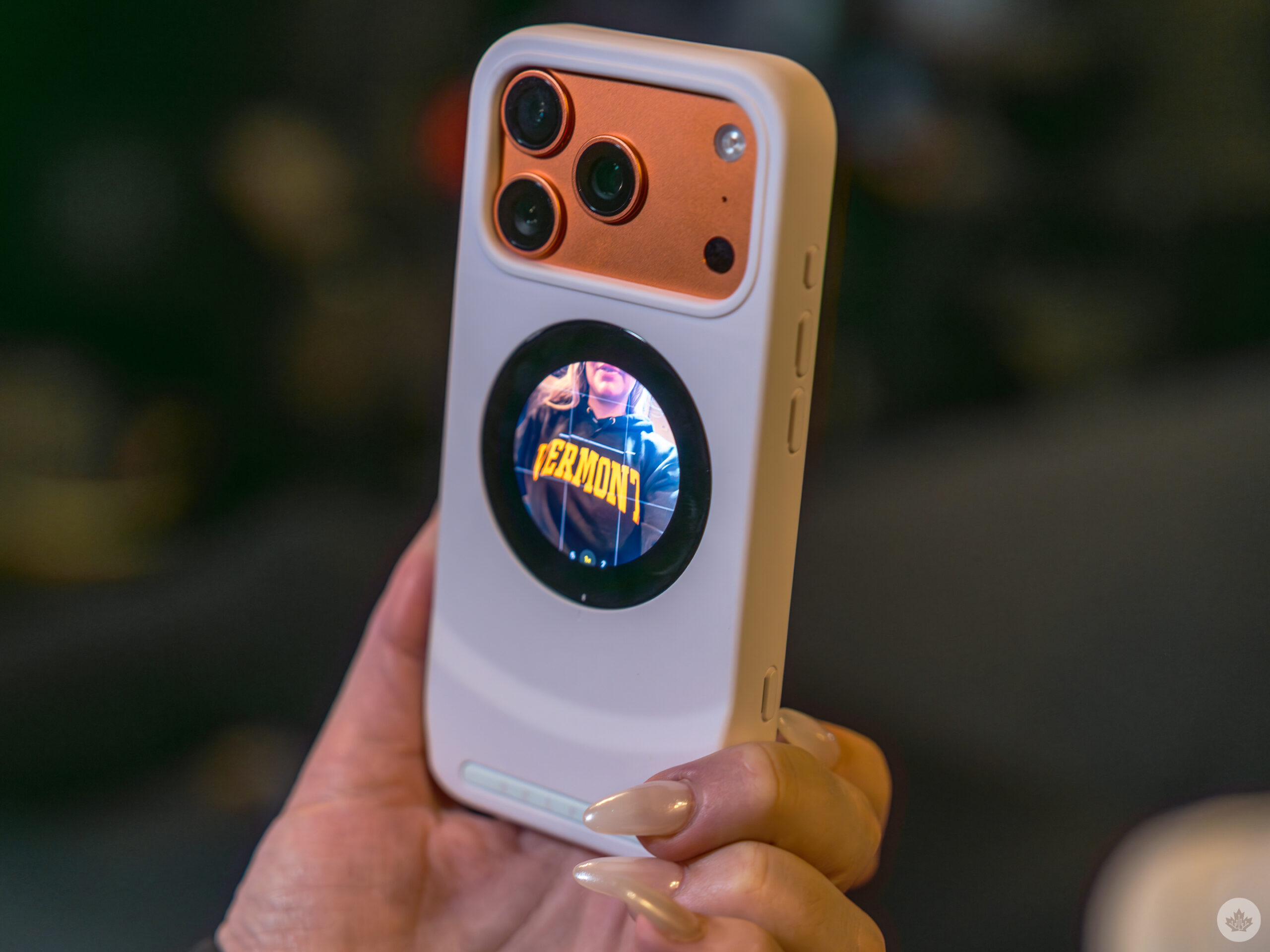
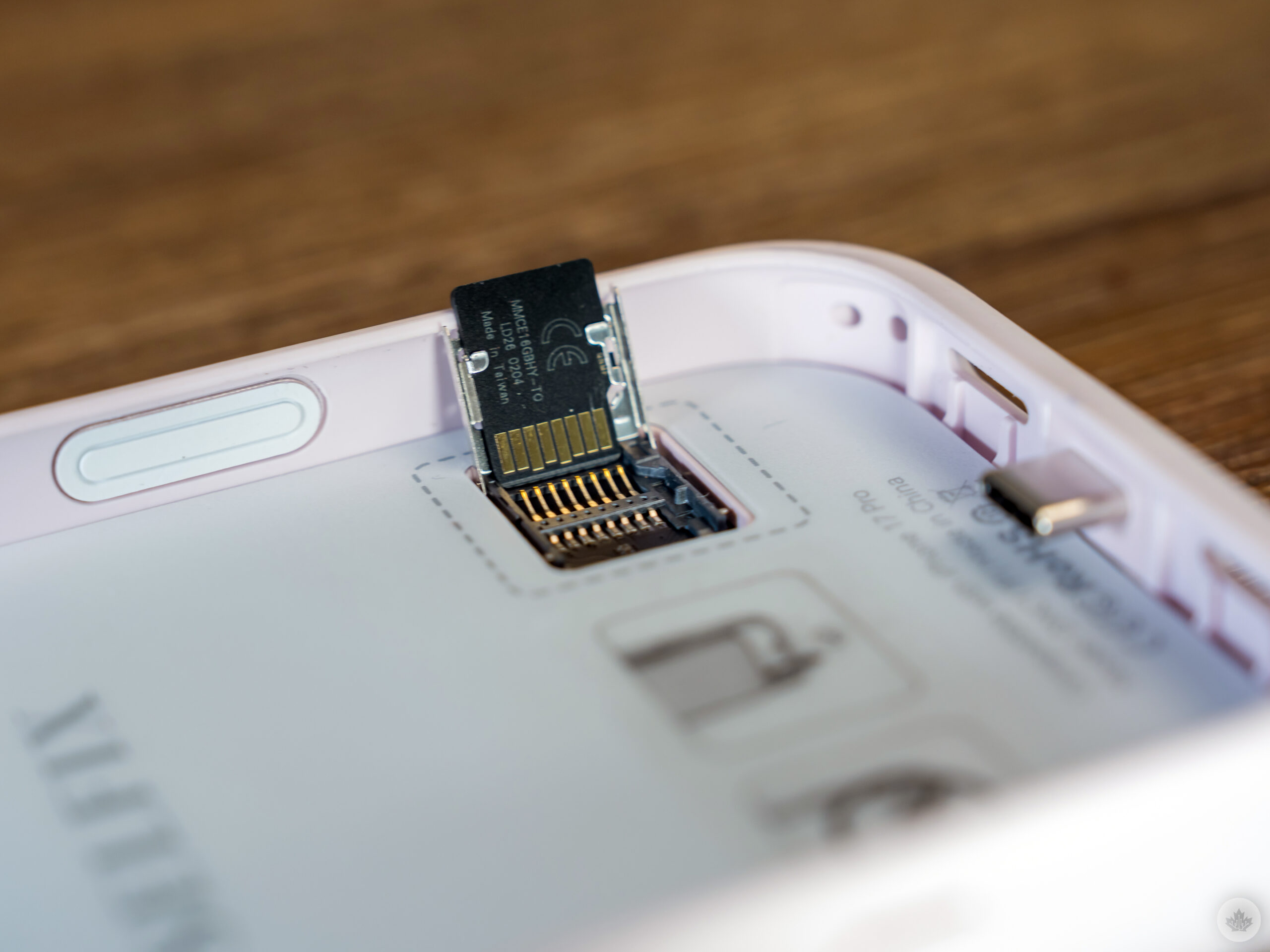
Simply being a phone case makes the Selfix unique in this regard, though it also pulls off something unusual in that it includes a microSD card slot. Expanding iPhone storage with a memory card hasn’t really been a thing before — and it comes with caveats here — but it makes things interesting all the same. Personally, the Morganite Pink variant Dockcase sent me isn’t the one I would have picked (Onyx Black or Satin White would’ve been better), and I think it clashes with the orange of the latest iPhone Pro models, but at least there are a few options.
As noted, this first version only fits either the iPhone 17 Pro or 17 Pro Max. Despite its thickness, it’s not a case with a built-in battery pack. Instead, the 1.6-inch AMOLED (480 x 480) rear circular touchscreen gets its power from the phone’s USB-C port when you slot it inside. A USB-C passthrough port on the bottom handles charging, so you never have to pull the phone out of the case to top it up.
The main selling point is that capturing selfies with the rear cameras, which have better glass and bigger sensors, leads to superior results. Moreover, keeping it in a case means that ability is always at the ready when you want it. It’s a design philosophy that separates it from competitors like the K&F Concept Selfie Monitor Screen and Insta360 Snap Selfie, both of which are separate units that either need to stick to the iPhone via MagSafe or clamp on, wrapping around the phone. Not to mention all the other copycat devices like them on Amazon.
The Selfix case is made with thicker silicone to house the circular display that’s positioned directly over the iPhone’s MagSafe coils. While the magnets remain strong enough to hold MagSafe accessories, the added distance between the coils kills that charging method entirely. Even portable MagSafe chargers will do nothing, leaving you with wired charging as the only option.
The microSD slot supports UHS-I cards up to 2TB and behaves like plugging in an external SSD. The catch is that iOS places firm limits on what external storage can do because only ProRes video can record directly to the card. Photos and standard videos always land on internal storage first, requiring a manual transfer afterward through the Files or Photos apps.
The Selfix for selfies
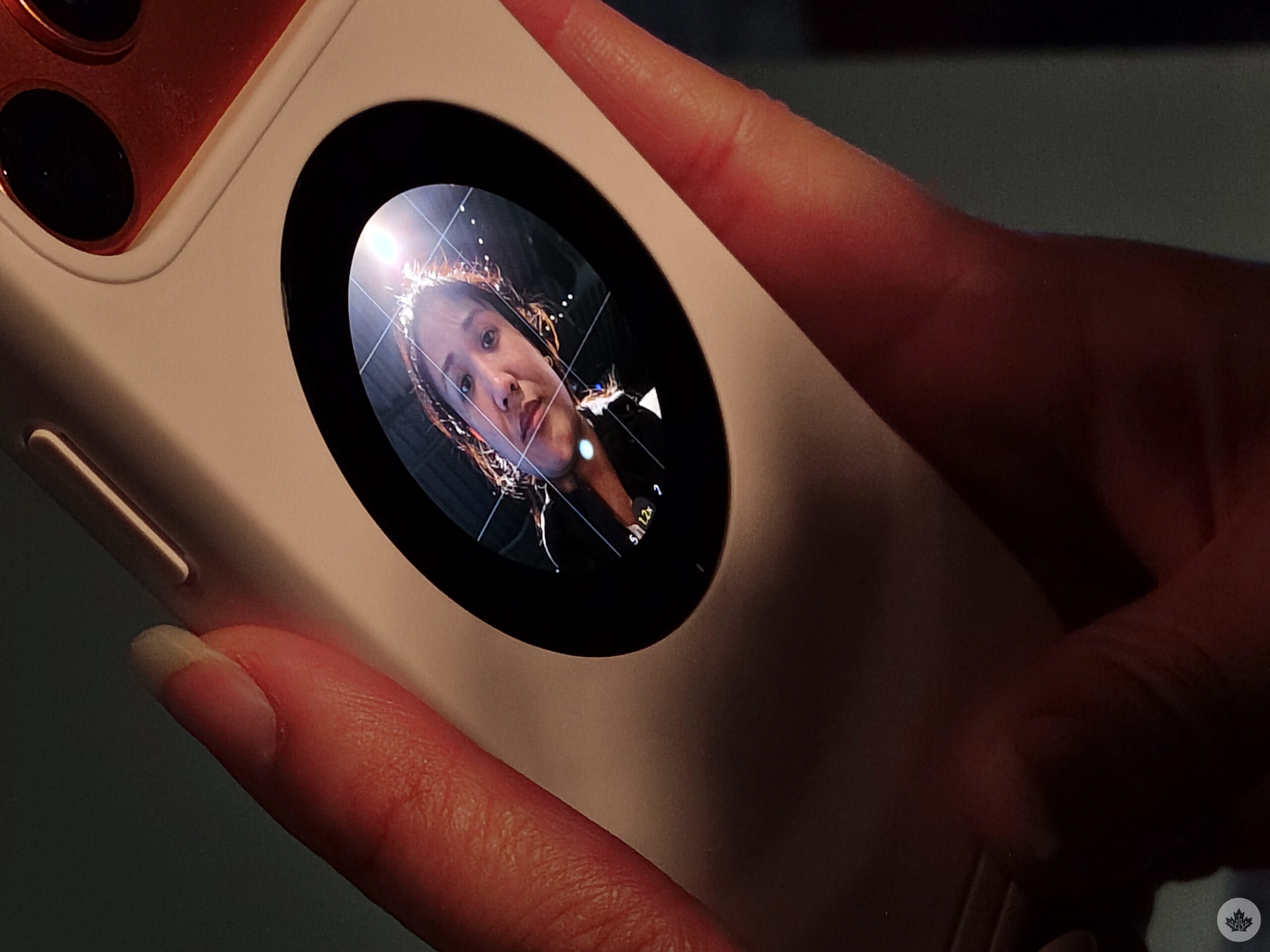
The Selfix has its own button below the volume buttons that basically controls it. Hold it down, and the screen lights up. No app download or firmware update required, though you need to dig through some iOS settings first before everything clicks into place. Enabling AssistiveTouch under Settings > Accessibility > Touch, and then adding it to the Control Center, unlocks the rear display’s full camera controls.
From there, the rear screen mirrors the iPhone’s display and gives access to most of the Camera app’s functions, albeit with some necessary memorization. Tapping the small numbers along the bottom edge switches between the three rear cameras. Swiping left or right adjusts zoom. Swiping down locks it. The shutter fires via either the volume button or the in-app button. Switching shooting modes still requires flipping over to the main screen.
These visual settings don’t entirely optimize for the screen, meaning menu options and numbers will look tiny by comparison to the phone’s own display. Still, solo selfies work well within those constraints. It’s easy to frame yourself as a single subject without much fuss, and you can enable mirroring by just pressing the power button to flip the orientation horizontally. It gets a little trickier with group shots, where fitting more than one or two people into frame means stretching your arm further, or switching to the ultra-wide lens to compensate.
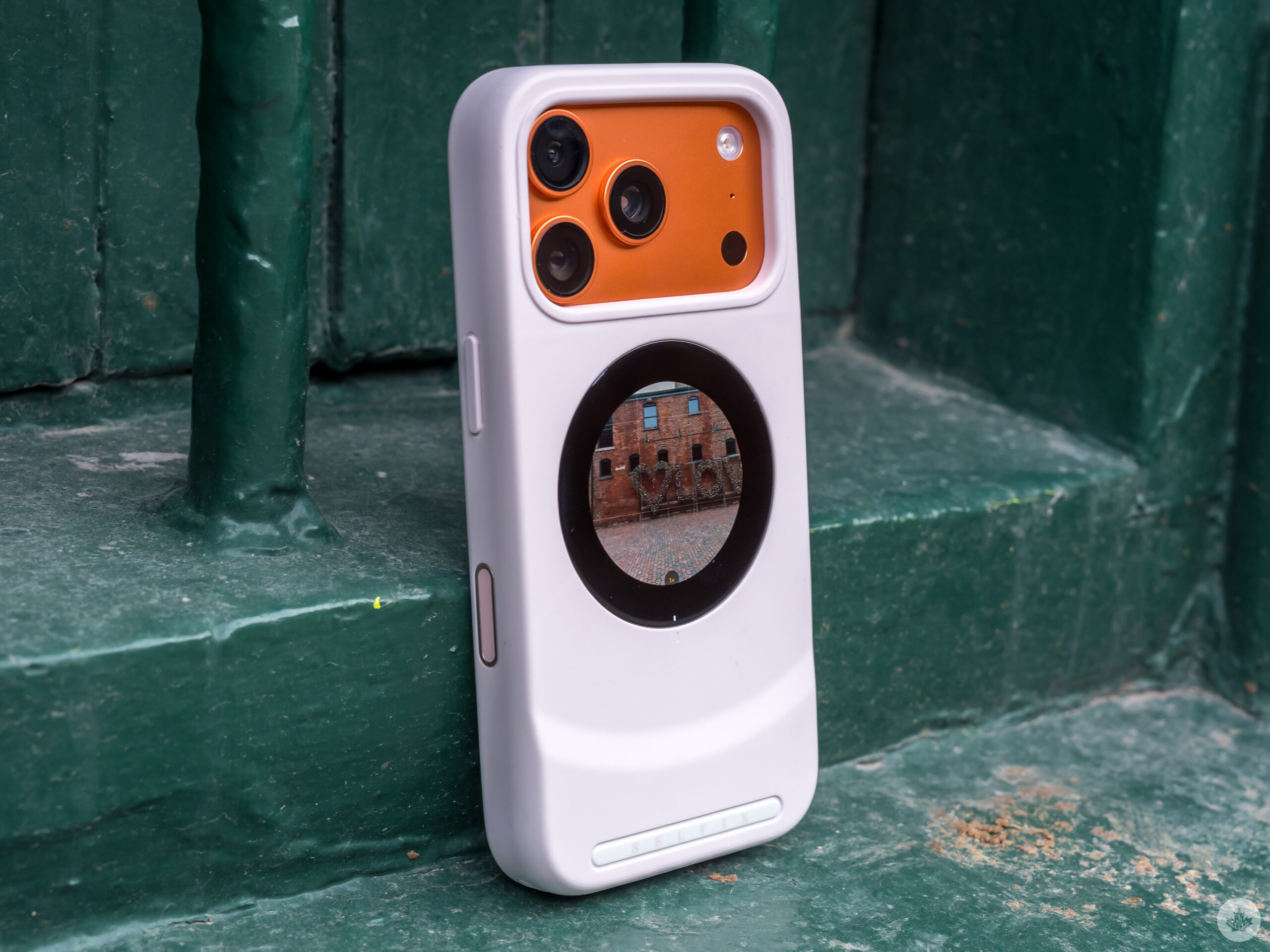
Landscape mode introduces its own quirks. Tilt the phone immediately after opening the Camera app, and the display rotates cleanly. Pressing the case’s own power button flips it upside down instead of sideways, like in portrait orientation. Leave the app idle for a stretch, and landscape tilts stop working altogether, with the rear screen locking to portrait.
Dockcase reps acknowledged the limitation when I asked them about it, suggesting that I enable rotation lock on the iPhone first before making the switch. It mostly works except the upside-down button flip still happens anyway. Unfortunately, Apple’s Center Stage feature only works for the front camera and not the rear cameras on these particular iPhones.
Where the nuances come in
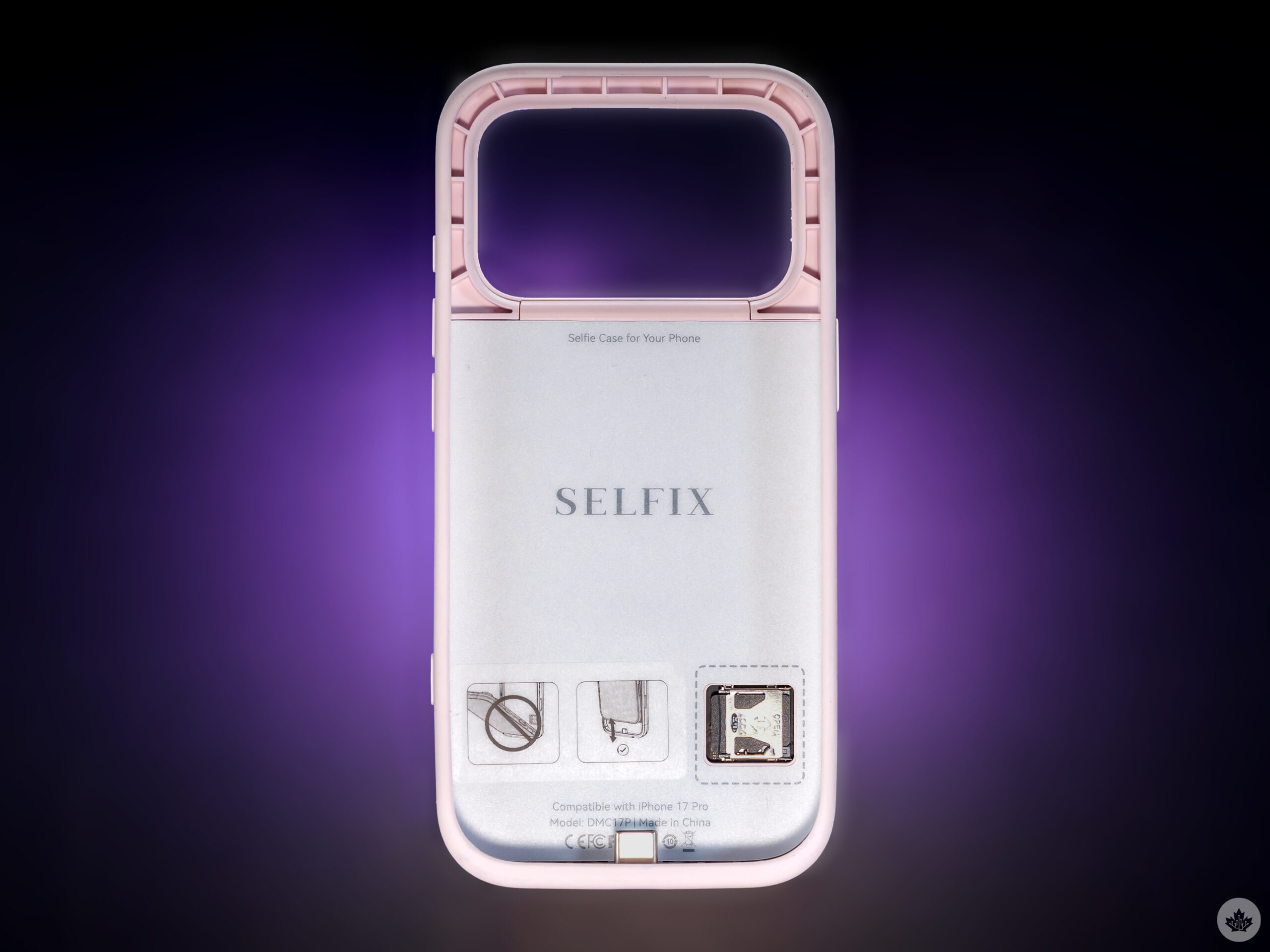
The more time I spent with the Selfix, the more the fine print came up. Dockcase built the case around Apple’s native Camera app, leaving third-party apps in a grey area that can shift in unknown ways. They technically work, since the case is only mirroring the screen, but none of the onscreen adjustments work when touching the rear display. Trying it with apps like Instagram, Halide, Moment and VSCO, I had to make all the adjustments on the phone’s screen — from the back, all I could do is press the volume button to snap the shutter.
Mind you, that control limitation matters less in some situations than others. It is possible to use the rear screen as a handy live monitor when shooting from an awkward angle or composing a more involved selfie. It’s also fine as a video monitoring tool despite the lack of dedicated optimization. It’s just that a circular display isn’t the same as a more expansive rectangular screen like you get with the K&F Concept and Insta360 devices.
Those two competitors also reach a wider audience. Because they’re not cases and feature different software optimization, they work with Android phones and support iPhones going back to the iPhone 12. That exclusivity does cut both ways, though. Unlike the Insta360 Snap Selfie, the Selfix doesn’t occupy the iPhone’s USB-C port, and unlike the K&F Concept Monitor, it doesn’t need its own battery recharged regularly.
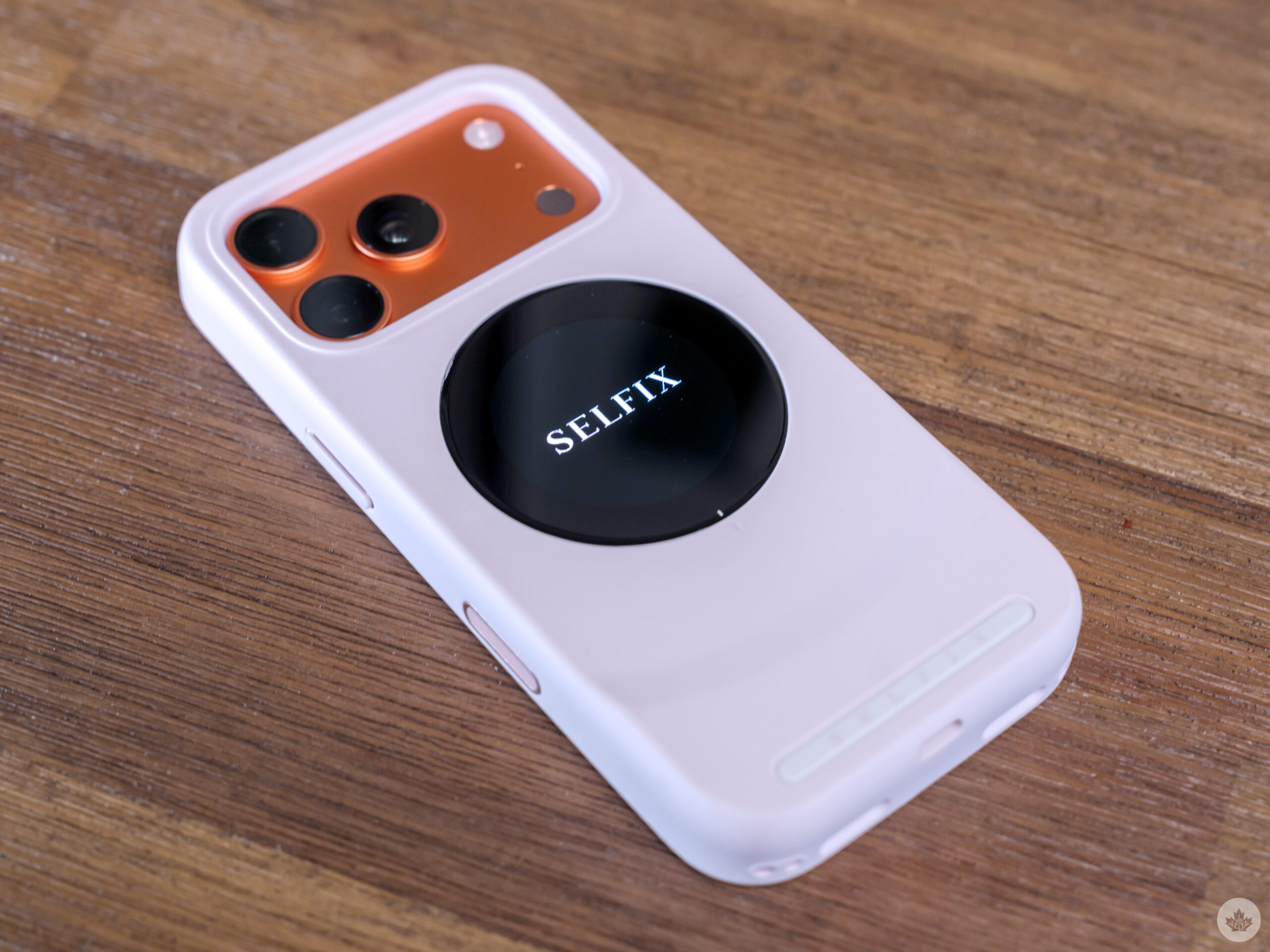
Dockcase bakes some sensible power management into the case. The screen dims after a minute of inactivity, sleeps after five, and shuts off entirely after 10. The Selfix generates heat fairly quickly during moderate use, running warm and getting hotter over time, so I knew to turn it off between testing sessions.
On the charging side, the Selfix handles PD 3.0 and up to 45W. Dockcase flags compatibility issues with certain Anker chargers and multi-port chargers, attributing the problem to adaptive power protocol switching. A single-port USB-C charger avoids the issue.
Coming Soon
The company is currently running a Kickstarter campaign to fund the first production batch, with shipments targeting May 2026 and broader retail availability to follow. Early backers can lock in the case for US$79 (about C$110), with a retail price of US$129 (roughly C$179) expected once it reaches wider release.
 Reviews
  Reviews
  Reviews
  Reviews