
Follow Us:
9

BlueStacks App Player beta arrives, brings Android apps to desktops


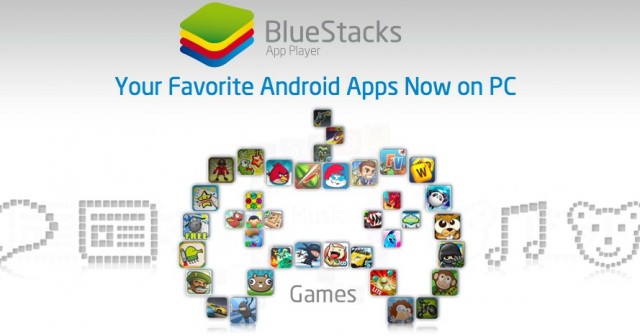
BlueStacks has a dream: to bring mobile apps to the desktop. It does this by virtualizing an Android device on your Windows 7 PC (sorry Mac folks), allowing you to download and use all but a small fraction of free Android apps.

To that end, the company has released its first beta, a polished and in some cases hardware accelerated version of the alpha they released last year. Now apps open quickly, scroll smoothly and generally perform better than before, and you can control the orientation of the app via the arrow buttons.

They’ve also added a Cloud Connect app to the Play Store which allows you to cloud sync the apps on your phone to the BlueStacks player, a courtesy that will likely save users a lot of time in the long run. Though we’re not sure the experience will satisfy PC users or Android users — these ARM-based apps are not optimized to run on x86 processors, nor are they designed to be used with a mouse and keyboard — BlueStacks is opening up a world of free Angry Birds, Temple Run and, well, any other free app to the wider community.

The beta is available today along with the Cloud Connect app, and in partnership with GetJar, 1Mobile and Amazon, they are making it easy to install a large number of apps that are available on Google Play. Check out a demo video after the break.

Source: BlueStacks
Via: The Verge 

Discussion

9 comments for “BlueStacks App Player beta arrives, brings Android apps to desktops”

  1. Hidden due to low comment rating. Click here to see.

    Like or Dislike: Thumb up 0 Thumb down 15

    Posted by Chuck | March 27, 2012, 10:22 am
    • Have you used the consumer preview for Win8? It runs great, but the apps are sorely lacking and nowhere near the level of Google Play. This is far from DOA, as we don’t even know if windows 8 will be a success and how long it will take people to upgrade from Win7.

      Like or Dislike: Thumb up 6 Thumb down 0

      Posted by Dalex | March 27, 2012, 10:40 am
  2. I just installed this and tested fieldruners on it. it works pretty well.

    Like or Dislike: Thumb up 3 Thumb down 0

    Posted by Bulletwithbatwings | March 27, 2012, 11:22 am
  3. Just downloaded it, and its a Great way to have apps like Whatsapp on my windows 8. So far so good.

    Like or Dislike: Thumb up 2 Thumb down 0

    Posted by Moka | March 27, 2012, 12:03 pm
    • EDIT: Nevermind.. i need a number on the device to have whatsapp, its still downloads everything and makes it easily accessible.. Still worth the download…

      Like or Dislike: Thumb up 0 Thumb down 0

      Posted by Moka | March 27, 2012, 12:07 pm
  4. So we go from desktops, to smartphones, to tablets, only to go back to desktops again…. neat concept

    Like or Dislike: Thumb up 1 Thumb down 0

    Posted by Joe | March 27, 2012, 1:50 pm
  5. …so Windows is dead…..Windows is crap…..Windows is shtupid….but everything works on Windows….can’t stop laughing, and I love Windows, and who cares about mApple fanboys, let them buy Macs for writting letters and miPads for apps, I’m happy using my laptop for running and doing both!!!

    Like or Dislike: Thumb up 1 Thumb down 1

    Posted by HO | March 27, 2012, 3:01 pm
  6. This makes me very happy!!!

    Like or Dislike: Thumb up 1 Thumb down 0

    Posted by StEC | March 27, 2012, 8:27 pm
  7. how can i import whatsapp contacts in blackberry to whatsapp on bluestack ?

    Like or Dislike: Thumb up 0 Thumb down 0

    Posted by Khanjug | May 21, 2012, 11:51 pm

Post a comment


four − = 0

