


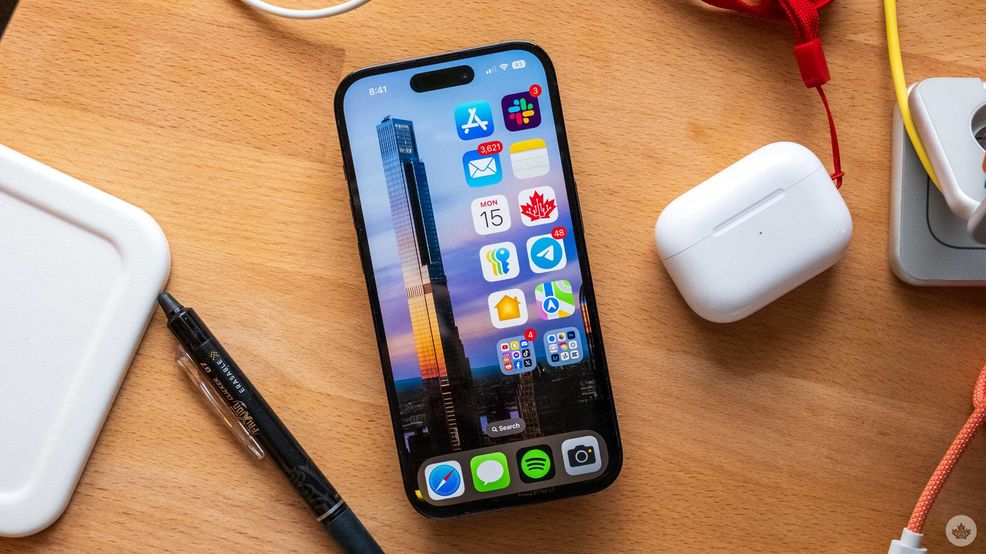
After showing off iOS 18 at WWDC in June, Apple is finally allowing anyone to test the beta version of the operating system.
The software has been in the Developer Beta stage for about a month now, and so far, people have been experiencing a mixed bag when it comes to bugs. That being said, if you want to play around with the new features like tinted icons and RCS, you can enroll on Apple’s website, but make sure to go to this page from the phone you want to put the beta on. After that, open up the Settings app on your iPhone, go to ‘General’ and then ‘Software update.’ There should be a new option here to install beta software. Choose that and select the iOS 18 Public Beta.
Once you have the software, you can experience a host of features, including a new customizable Photos app, large home screen icons, hidden apps and more. We’ve highlighted some of the top features below, but you can discover more on Apple’s beta preview site.

- Move icons anywhere on the home screen
- Dark mode icons
- Customizable Control Center
- Change out the lock screen shortcuts
- New Photos app
- RCS for a better green bubble texting experience
- More tapbacks and text editing features in Messages
- Scheduled messages
- New Mail app
- Better reading mode in Safari
- New Passwords app for storing passwords and other important credentials
- Make your own hiking routes in Maps
- Game Mode
- Live transcriptions in Notes and Phone apps
- Math notes
- Improvements to the Journal app with goal and mood tracking
- Home app works with smart robot vacuums
- Fitness app lets you customize its layout
- New flashlight interface in Dynamic Island
- Settings app is sorted better and laid out for better one-handed use
- Improved animation work through the OS
- Hide and lockdown apps
- New accessibility section to help reduce motion sickness when driving
Apple is making iOS 18 available on the following devices.
- iPhone 15
- iPhone 15 Plus
- iPhone 15 Pro
- iPhone 15 Pro Max
- iPhone 14
- iPhone 14 Plus
- iPhone 14 Pro
- iPhone 14 Pro Max
- iPhone 13
- iPhone 13 mini
- iPhone 13 Pro
- iPhone 13 Pro Max
- iPhone 12
- iPhone 12 mini
- iPhone 12 Pro
- iPhone 12 Pro Max
- iPhone 11
- iPhone 11 Pro
- iPhone 11 Pro Max
- iPhone XS
- iPhone XS Max
- iPhone XR
- iPhone SE (2nd generation or later)
 News
News  Deals
Deals  Sponsored
  News
News 