


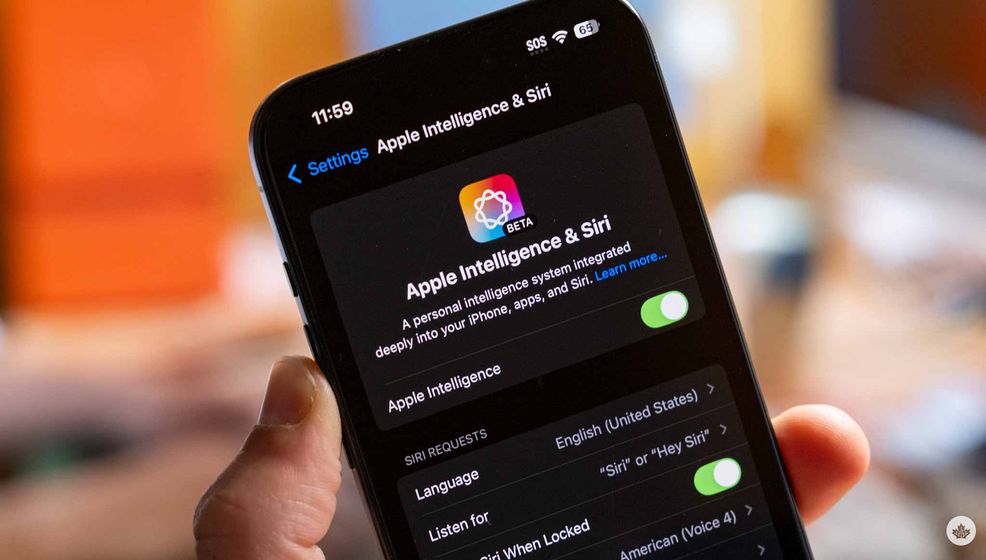
UPDATE Aug 29, 2024: Since the release of iOS 18.1 developer beta 3, users now only need to change their Siri language to U.S. English. You can leave your phone’s region set to Canada.
The story below has been altered to reflect this change.
It seems like I was wrong yesterday when I was searching for a way to get Apple Intelligence in Canada. You can switch your iPhone’s region quite easily, which allows Canadians to get Apple Intelligence on their iPhone 15 Pro devices, M-series iPads and Macs.
Before you region switch, you must ensure you’ve signed up for Apple’s Developer Beta program. Once you’ve done this, you can go into your iPhone’s Settings app and update it to iOS 18.1 (beta 3). That said, we don’t recommend doing this on your main phone since there will likely still be a few bugs to work out.
Once you’re on iOS 18.1, open the Settings app again and navigate to the Apple Intelligence & Siri heading. In there, make sure your Siri language is set to United States English, then tap on join the waitlist, and you should be allowed in shortly after that.
Once you’ve been granted access, you’ll see the new Siri interface, Apple Intelligence Writing Tools, a new memory-making tool in Photos and more. This also includes AI summaries in Safari, call transcriptions and a new Priority notification Focus mode. Highly anticipated features like Genmoji and the AI Image Playground are not a part of this first beta.
 News
News  Gaming
  News
News  News
News 