

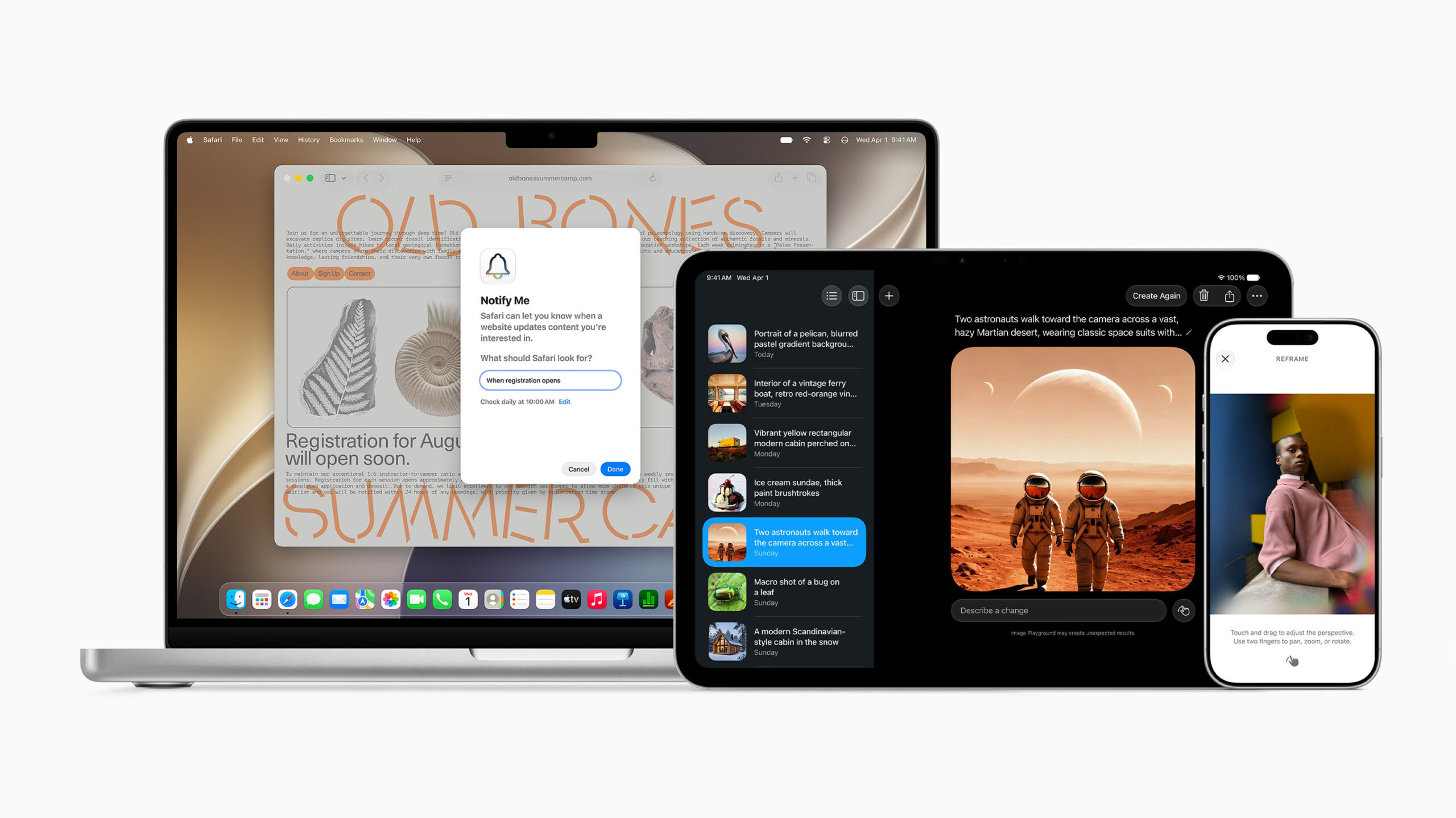
Apple has unveiled new upgrades to its Visual Intelligence tools at WWDC 2026.
The main feature, which is part of the new Apple Intelligence upgrades, is a Siri mode built directly into the camera app. This new feature can use exactly what the iPhone sees to analyze objects. To analyze objects, Apple notes that all you have to do is tap the shutter button, and Siri will begin analyzing the object. A pop-up will appear with the information, and all you have to do to view the more in-depth information is to pull down on it.
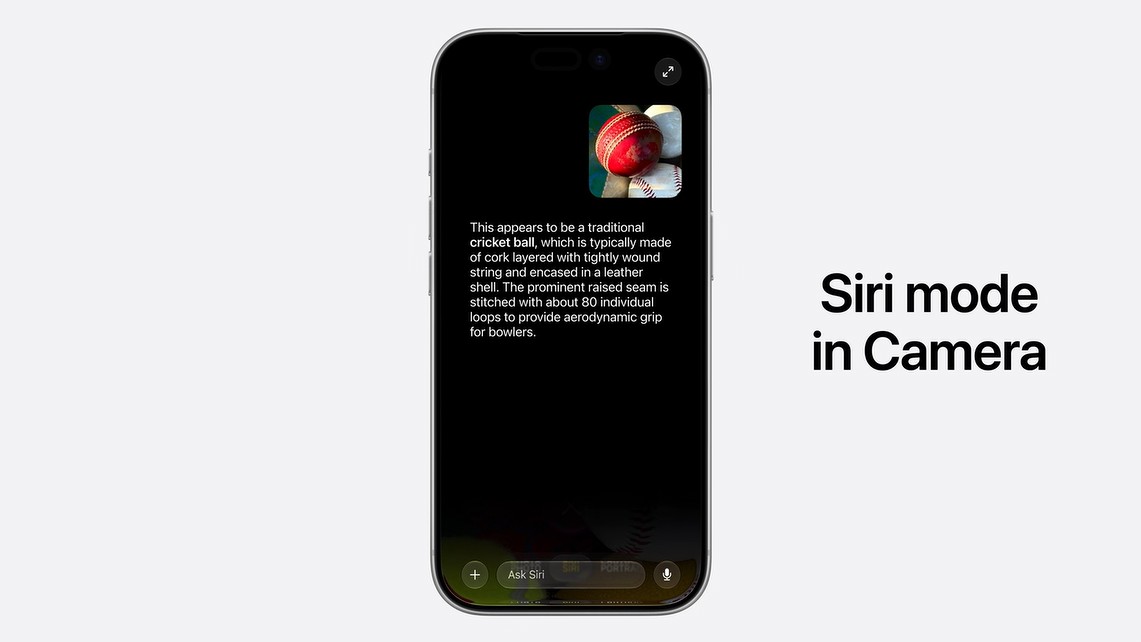
Apple says that this deep image understanding is powered by Apple Foundation Models.
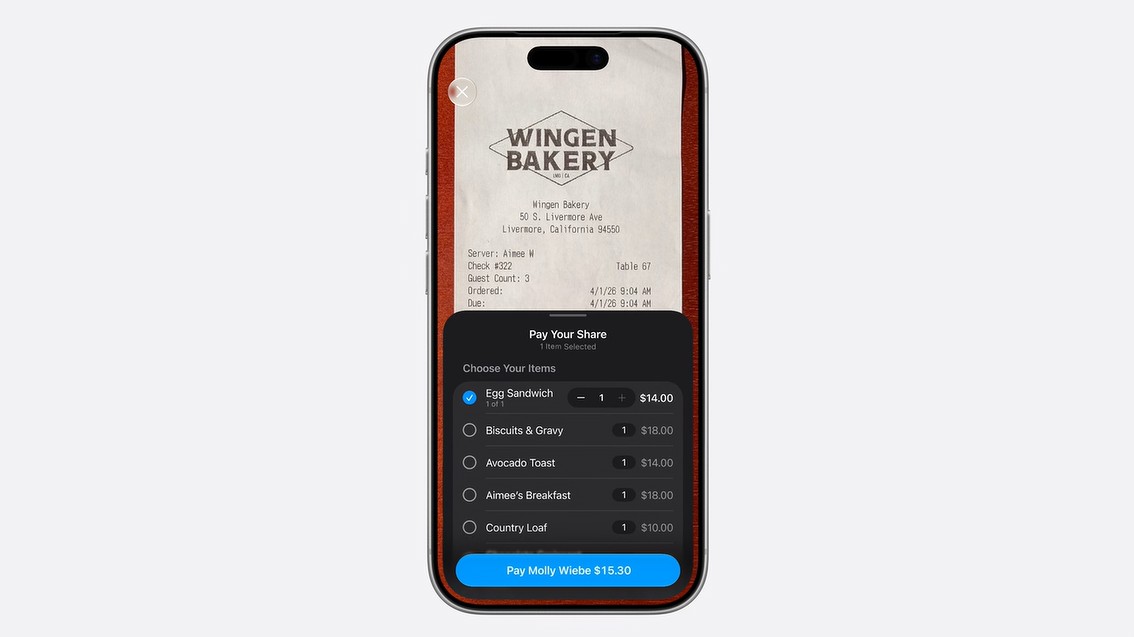
One of the main uses for the new feature is bill splitting. Essentially, you can point your camera (in the new Siri mode) at a restaurant receipt, and a pop-up will appear at the bottom of the screen. From there, you can select what you had and then the tip, and it will calculate the exact total, which you can use to pay your friend your share using Apple Cash.
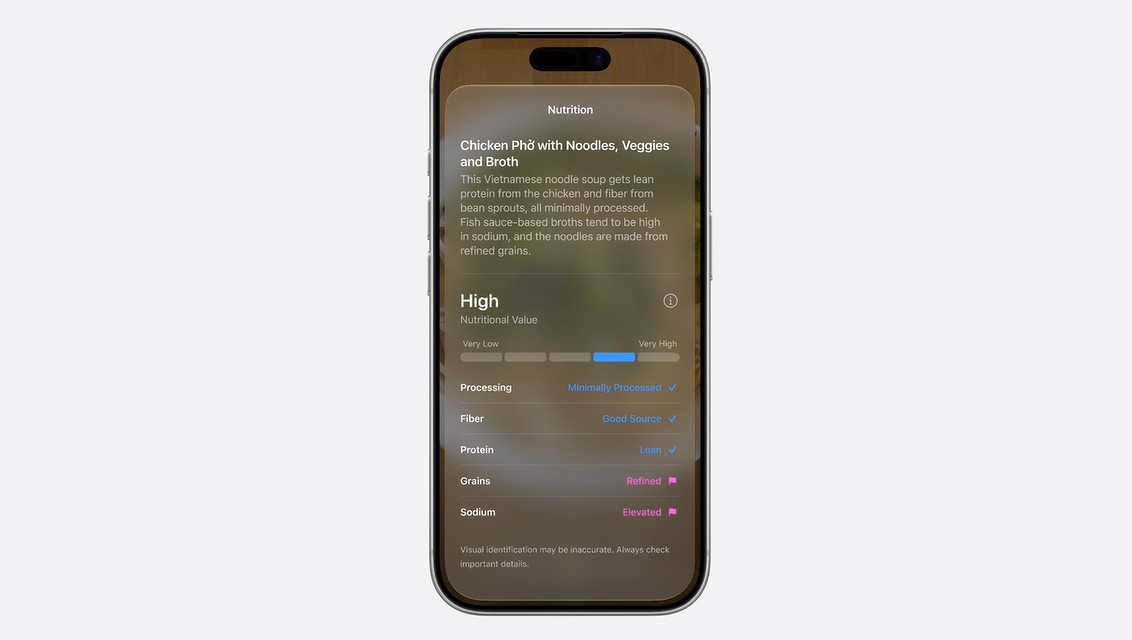
Siri mode can also be used to identify nutritional content about any particular dish. All you have to do to use it is point your iPhone at a plate of food, and a pop-up will appear that contains nutritional information. This appears to include how high or low the nutritional value is, along with a checklist that notes processing, fibre content, protein, grains, and sodium.
Similar support has now been added for visionOS, which uses spatial computing to display a physical rendering of Siri (essentially a floating orb) that you can activate simply by looking at it. I’m mentioning this because Siri can look directly at what you are viewing on your visionOS (a new carry-on bag, for example) and help answer your question based on the information and context you give it. You can also ask it about physical objects — Apple used the carry-on bag example, asking whether a certain backpack could work as a carry-on and whether a pair of hiking boots the wearer owns could fit in the bag, using only an online listing.

Visual Intelligence is also coming to macOS, and getting a dedicated keyboard shortcut. Essentially, you can simply select something on your screen and then use the Ask Siri pop-up. Interestingly, an image search and “Look Up Nutrition” pop-up appeared below the Ask Siri pop-up. You can also use visual intelligence to add events to your calendar or take other similar actions.
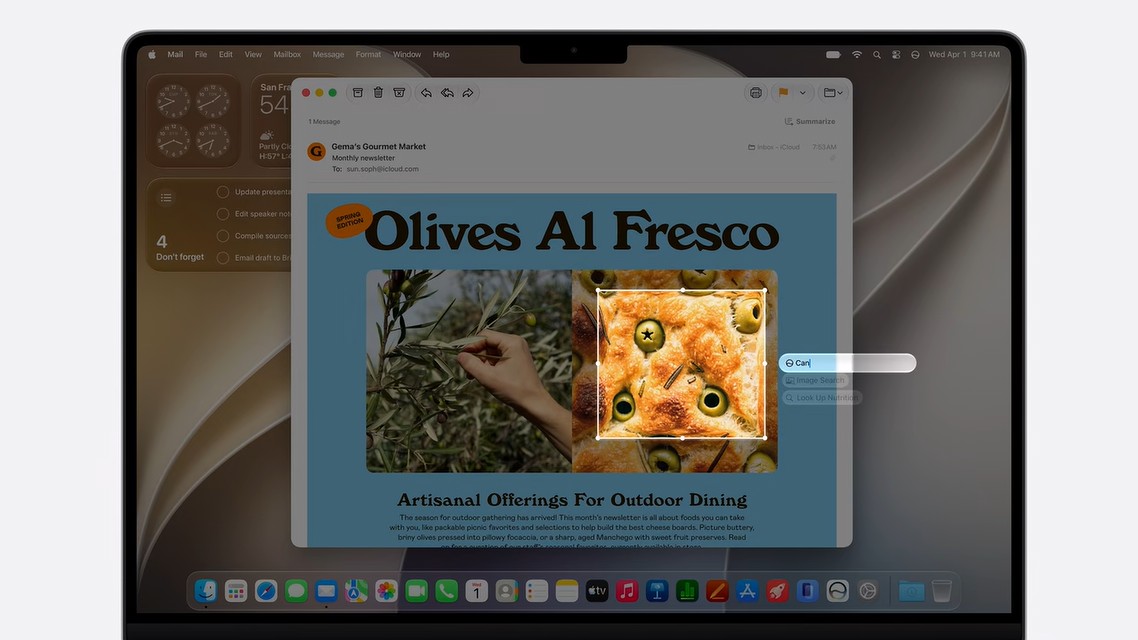
Apple also stated that Visual Intelligence would also come to the iPad, describing it as “built in directly to the screenshot experience.”
According to a press release, the new Siri AI will be available for developer testing through the Apple Developer Program and will be available as a beta later this year for users with a supported device set to English.
Check out all of MobileSyrup’s WWDC 2026 coverage to learn more.
Images credit: Apple
MobileSyrup may earn a commission from purchases made via our links, which helps fund the journalism we provide free on our website. These links do not influence our editorial content. Support us here.

