Follow Us:
53

Bell and Virgin Samsung Galaxy S Vibrant upgrade to OS 2.3 now available


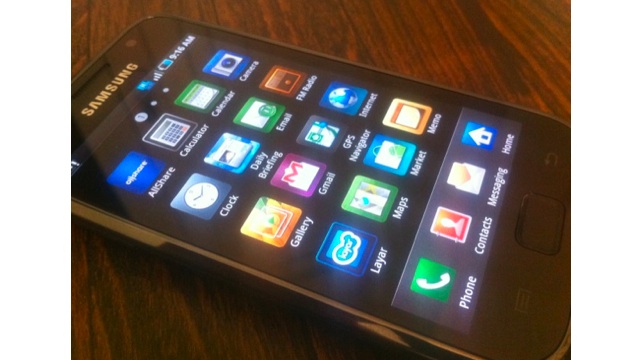
Both Virgin Mobile and Bell have made good on their promises to deliver the Android OS 2.3 Gingerbread upgrade to the Samsung Galaxy S Vibrant. We’ve been getting tipped that it’s now available to download via Samsung Kies. In addition, Virgin states that “the samsung galaxy S vibrant is good to go”.

Get it here at Samsung Kies here
Via: Twitter
(Thanks to everyone who sent this in!)

Discussion

53 comments for “Bell and Virgin Samsung Galaxy S Vibrant upgrade to OS 2.3 now available”

  1. Hidden due to low comment rating. Click here to see.

    Like or Dislike: Thumb up 6 Thumb down 24

    Posted by Paul Q | August 10, 2011, 2:54 pm
    • I understand what you mean but they could at least have released 2.3.4 which is what is already released in Europe. They seem to be missing minor versions here, we never had 2.2.1 (and we got 2.2 after everybody else got 2.2.1).

      Like or Dislike: Thumb up 4 Thumb down 0

      Posted by bob | August 10, 2011, 5:13 pm
  2. Someone test this and tell me if there’s some TW4 goodness in this one.

    Like or Dislike: Thumb up 1 Thumb down 0

    Posted by cybik | August 10, 2011, 2:54 pm
    • Highly doubtful like htc devices aren’t getting sense 3.0 if they had 2.1 before

      Like or Dislike: Thumb up 0 Thumb down 1

      Posted by Sean | August 10, 2011, 3:06 pm
    • It should have the same TW as the Infuse 4G. Its pretty much TW4 without the newer widgets.

      Like or Dislike: Thumb up 1 Thumb down 0

      Posted by Max | August 10, 2011, 3:12 pm
  3. im upgrading rii now omg soo excited!!!!

    Like or Dislike: Thumb up 3 Thumb down 0

    Posted by strikerx | August 10, 2011, 3:00 pm
  4. Can anyone tell me what build is the official one?

    Like or Dislike: Thumb up 0 Thumb down 1

    Posted by chambo622 | August 10, 2011, 3:08 pm
  5. Firmware: 2.3.3
    Baseband: I9000UGkG3
    Kernal Version: 2.3.35.7-I9000UGKG3/ sj0829.kwon@SEP-08#2
    Build No.: GINGERBREAD.GKG3

    One user on XDA has now lost 3 Button Recovery Mode since flashing this new firmware. Use with caution!

    Like or Dislike: Thumb up 12 Thumb down 0

    Posted by arr0ww | August 10, 2011, 3:12 pm
    • Ugh that would be horrible if they did that. Honestly, if you’re going to make us wait so long between global release and Canadian release atleast make sure the build is correct. Great job Samsung, you are reaffirming my once waning resolve not to buy another samsung product. No matter how good the SGS II looks, i’m not falling for it again! No more shoddy post purchase support, its just not worth it!

      Like or Dislike: Thumb up 8 Thumb down 5

      Posted by nik | August 10, 2011, 3:42 pm
    • For i9000 SGS, it changed to 2 button (vol up + power) with GB, so perhaps same happened for the Vibrant.

      Like or Dislike: Thumb up 0 Thumb down 1

      Posted by rye&ginger | August 10, 2011, 3:52 pm
    • So now 2 users at XDA Forums have lost the 3 Button Recovery using this rom….

      Like or Dislike: Thumb up 1 Thumb down 0

      Posted by arr0ww | August 10, 2011, 6:53 pm
  6. :( if only my vibrant from T-Mobile had 2.3 :(

    Like or Dislike: Thumb up 1 Thumb down 2

    Posted by michael | August 10, 2011, 3:15 pm
  7. Oh, how I HATE Kies!!!! Imagine my surprise when finally prompted that the update is here, only to have Kies drop the connection every time it tries to update my phone!!!! ARRGHHHH!!!!!

    Like or Dislike: Thumb up 4 Thumb down 2

    Posted by Weasel | August 10, 2011, 3:26 pm
  8. And for the Atrix ?????????????????????

    Like or Dislike: Thumb up 4 Thumb down 6

    Posted by Bob | August 10, 2011, 3:28 pm
  9. Ok Telus, now it’s your turn!

    Like or Dislike: Thumb up 2 Thumb down 2

    Posted by Jon | August 10, 2011, 3:32 pm
  10. Oh hey, anyone know for sure if you have to unroot your phone before flashing this update?

    Like or Dislike: Thumb up 1 Thumb down 0

    Posted by Jon | August 10, 2011, 3:32 pm
  11. You don’t have to unroot but you do have to un-lagfix. I asked when I was thinking about applying bk1

    Like or Dislike: Thumb up 1 Thumb down 1

    Posted by Cass_m | August 10, 2011, 3:37 pm
  12. The version of Kies in the link provided does not work with this phone… Where can you get an older version?

    Like or Dislike: Thumb up 1 Thumb down 1

    Posted by Wayne | August 10, 2011, 3:48 pm
  13. This update isn’t causing the data corruption I hope like the previous update!

    Like or Dislike: Thumb up 2 Thumb down 0

    Posted by tremSr | August 10, 2011, 4:07 pm
  14. Or should I say the internal memory

    Like or Dislike: Thumb up 1 Thumb down 1

    Posted by tremSr | August 10, 2011, 4:09 pm
  15. The version of Kies on samsung.ca is the same as the other link. Does not work… wtf

    Like or Dislike: Thumb up 1 Thumb down 1

    Posted by Wayne | August 10, 2011, 4:41 pm
    • I had issues connecting with kies so I searched and what worked for me was doing the 16 character extension fix and then rebooting the phone. 10-15 mins later I was updated.

      Like or Dislike: Thumb up 0 Thumb down 0

      Posted by Rob | August 10, 2011, 11:47 pm
    • I just got kies direct from samsung’s website and it worked fine to upgrade my Bell SGS to 2.3.

      Like or Dislike: Thumb up 1 Thumb down 1

      Posted by Sean | August 11, 2011, 6:51 pm
  16. i kinda hope this update does mess my phone up so i can get a new sgs again! Just kidding of course…

    Like or Dislike: Thumb up 3 Thumb down 0

    Posted by Chris | August 10, 2011, 5:25 pm
  17. this is why im probably going to get a nexus s so i won’t have to stress getting updates

    Like or Dislike: Thumb up 1 Thumb down 0

    Posted by Mike | August 10, 2011, 5:40 pm
  18. Just upgraded my Bell SGS Vibrant, was so easy and only took approx 20 minutes in total.

    My Bell SGS Vibrant is a Oct 2010 model and I have had it from new and it has been an incredible phone.
    I have added a 16 gb external SD card and I have a ton of work stuff and 120+ apps as well as am lot of music.

    For this upgrade, I opened KIES and received a notification that a new version of KIES was available, hit the upgrade now button, waited for the KIES update to finish, then connected my phone and once it was recognized I got the pop-up that said a firmware UG was available, hit the Upgrade Firmware now button, checked the “back-up all file first” box and away it went and yes there were times over the next 15 minutes when it appeared the connection (computer to phone) was lost but I waited and everything went OK.

    I am now running FIRMWARE VERSION 2.3.3, “GINGERBREAD.GKG3″!!!!

    Like or Dislike: Thumb up 2 Thumb down 0

    Posted by RPS | August 10, 2011, 6:01 pm
  19. SaskTel users can also get the upgrade…

    Like or Dislike: Thumb up 2 Thumb down 1

    Posted by David | August 10, 2011, 8:01 pm
  20. after 3 reboots for the phone and restart Kies, finally it seems like it is going , then it went to download the firmware upgrade, then it has been in ‘preparing firmware upgrade components’ for the past 45 mins…any suggestions ? should I just unplug and forget it?

    Like or Dislike: Thumb up 0 Thumb down 0

    Posted by bestjsg | August 10, 2011, 8:41 pm
  21. More users reporting that the 3 button recovery is now gone with this update…i would recommend to stay away!

    Like or Dislike: Thumb up 2 Thumb down 0

    Posted by Arr0ww | August 10, 2011, 10:18 pm
  22. Captivate and Fascinate Kies got an update yesterday so I would think it would make sense that they both will be receiving the update soon enough. The vibrant Kies was updated on July 29th and shortly after the update was launched. Also I remember a roadmap that was featured a while back for telus on mobilesyrup (showing iphone release date) showed the upgrade for galaxy s as aug 15th so maybe thats when these 2 phones will be receiving the update.

    Like or Dislike: Thumb up 0 Thumb down 0

    Posted by Nitin | August 11, 2011, 2:10 am
  23. Looks like 2.3 is available for the HTC Desire Z, too, if my phone is any indication.

    Like or Dislike: Thumb up 0 Thumb down 1

    Posted by M | August 11, 2011, 4:19 am
  24. Everyone can calm the hell down. Recovery is not gone, it is changed. It is now Vol up and dn and power.

    Tested it on 2 updated stock phones and it works every time.

    Like or Dislike: Thumb up 4 Thumb down 0

    Posted by Jason | August 11, 2011, 8:52 am
  25. Thanks Jason,

    3BR is now changed to vol up/dow + power. Confirmed working by XDA users.

    Like or Dislike: Thumb up 0 Thumb down 0

    Posted by Arr0ww | August 11, 2011, 10:19 am
  26. Update was absolutely painless and took all of 7 minutes on my stock unmodded I9000M. It didn’t fix an issue I had with contacts not joining so I had to factory reset the phone to get it working again. No touchwiz 4 unfortunately but lag is gone and the phone works better than it ever has! Swype is updated to 2.7something. I believe this is the phone we should have had a year ago as it finally works and works quite well. Thank you! Finally ;-)

    Like or Dislike: Thumb up 1 Thumb down 0

    Posted by Kevin | August 11, 2011, 2:09 pm
  27. Kies is proof that hardware companies should make hardware only!!! Defective garbage

    Like or Dislike: Thumb up 5 Thumb down 0

    Posted by Charles | August 11, 2011, 4:43 pm
  28. I updated my stock I9000M (Froyo 2.2) this morning. The update was perfect, flawless, amazing!! I had everything backed up in case things went wrong but after the update everything was retained except for the home screen widgets, which took all of 10 minutes to set up again. Even my recent Handcent text threads were there. I definitely notice the increase in speed and responsiveness of Gingerbread. Screen transitions are very smooth and opening apps is noticeably faster. I have to say that despite the pain expressed by many Bell and Samsung customers in recent months, my specific experience with the Vibrant has been phenomenal!! This phone ROCKS in comparison to my wife’s IPHONE 4, IMHO. I am a software developer and can appreciate all the pieces that have to fall in place to get a release like this ready. I would prefer they take a bit longer and get things right. I would have no problem buying another Samsung phone based on my experience. Great job Samsung, Thanks Bell!

    Like or Dislike: Thumb up 1 Thumb down 1

    Posted by Sheldon | August 11, 2011, 5:10 pm
  29. Updated yesterday. Unlagfixed at work then switched from LauncherPro to Touch wiz when I got home and connected to computer. Kies update then ROM update. Took longer to remove lagfix than to update. Only bad thing – Tango is zoomed in during video calling. That happened with my Tab so it wasn’t unexpected.

    Like or Dislike: Thumb up 1 Thumb down 0

    Posted by cass_m | August 11, 2011, 6:12 pm
  30. I wish I could edit my comment like you can in googleplus. The 3 button is now a 2 button like arr0ww said. Just hold in the middle of the rocker while you press the power button.

    Like or Dislike: Thumb up 1 Thumb down 0

    Posted by cass_m | August 11, 2011, 7:22 pm
  31. Just tried the update and it didn’t work. 1st got a “data backup cannot proceed because of an unexpected error” error.

    Then it says to connect the device and try the backup again.

    Then lastly, I get the “Device not responding. To resolve the issue, reboot the device”.

    I’ve already tried this once and nothing is working. Anyone have any ideas?

    Thanks.

    Like or Dislike: Thumb up 0 Thumb down 0

    Posted by Steve | August 11, 2011, 9:37 pm
    • I have the same problem, Kies is just s**t software!! even Samsung Tech Support say the same thing, don’t run and don’t even try to run it!! get your phone to bell store and let them update it for you !!

      Like or Dislike: Thumb up 0 Thumb down 0

      Posted by j23net | August 16, 2011, 9:33 pm
  32. Bell Galaxy S Vibrant: Updated yesterday and everything is great since then except GPS. My GPS was fine in FROYO but now its messed up after gingerbread. Battery life has improved and so is performance. Anybody having issues with GPS?

    Like or Dislike: Thumb up 0 Thumb down 0

    Posted by Kem | August 12, 2011, 9:53 am
  33. Anybody been able to find the settings to set up Native VOIP which is supposed to be part of Gingerbread? Has Samsing disabled this for the Galaxy S?

    Like or Dislike: Thumb up 0 Thumb down 0

    Posted by Ed | August 12, 2011, 10:06 am
  34. So, I’m at work and I downloaded Kies. Hookup the phone and get the same error message as Steve above. Uninstall Kies, reinstall Kies hookup the phone again and now the option to download 2.3 is gone. No popup window or anything and it says my firmware is Froyo.

    Has Samsung removed the upgrade from Kies? I hate Kies.

    Like or Dislike: Thumb up 0 Thumb down 0

    Posted by Steve | August 12, 2011, 10:59 am
  35. Did this upgrade fix certain apps not closing in Froyo? Such as when you open up the Internet or Contacts … when you close them, they remain running. Not sure if this is a bug, in the version of Froyo for the Galaxy S. But whenever I force closed the contacts, the gui sort of reset itself. I took a while for the icons to return on the home page. Hope this is fixed with this update.

    Like or Dislike: Thumb up 1 Thumb down 0

    Posted by tilallr1 | August 12, 2011, 4:10 pm
  36. Updated mine on the Sasktel network and everything went smooth.
    Thanks Samsung.

    Like or Dislike: Thumb up 0 Thumb down 0

    Posted by flatlanderSK | August 14, 2011, 12:11 pm
  37. I can confirm my Bell Galaxy S has also lost three button recovery since updating to 2.3.3. Can still enter three button download mode with volume down button.

    Like or Dislike: Thumb up 0 Thumb down 1

    Posted by RS | August 17, 2011, 1:22 am
  38. And I can confirm you have not lost the 3 button combo as it has been replaced by hitting the middle of the volume button + power button and voila….recovery mode….no more 3 button mode.

    Like or Dislike: Thumb up 4 Thumb down 0

    Posted by Gigi | August 18, 2011, 9:27 pm
  39. Also this build has the crappy scrolling bug in the browser. Can’t believe it took bell all this time to release gingerbread and still has bugs (although minor)

    Like or Dislike: Thumb up 4 Thumb down 0

    Posted by Gigi | August 18, 2011, 9:37 pm
  40. This is the smoothest KIES upgade yet. I love the new features like cut and paste and the new way to message from your contacts.

    Like or Dislike: Thumb up 0 Thumb down 0

    Posted by denise | August 20, 2011, 8:57 pm
  41. VERY IMPORTANT INFORMATION!!!!!!

    If you have an issue with the upgrade because of Kies being such a crappy program, do the following.

    1) Backup all data/apps/messages etc.
    2) Factory reset your phone.
    3) Connect to Kies and watch the upgrade happen with NO ISSUES.

    That’s what I had to do after getting the same error over and over again. It’s a pain in the a*s to have to do this, but it works.

    Like or Dislike: Thumb up 1 Thumb down 0

    Posted by Stev | August 22, 2011, 10:37 am
  42. Upgraded, had to do a factory reset to try and fix the dreaded battery drain issue that has been well documented for other firmwares. Hopefully the factory reset will work, also notice the voice input button on the swype keyboard isn’t working…

    Like they didn’t even test teh damn firmware.

    Like or Dislike: Thumb up 0 Thumb down 0

    Posted by Jamie | August 22, 2011, 11:24 am

Post a comment